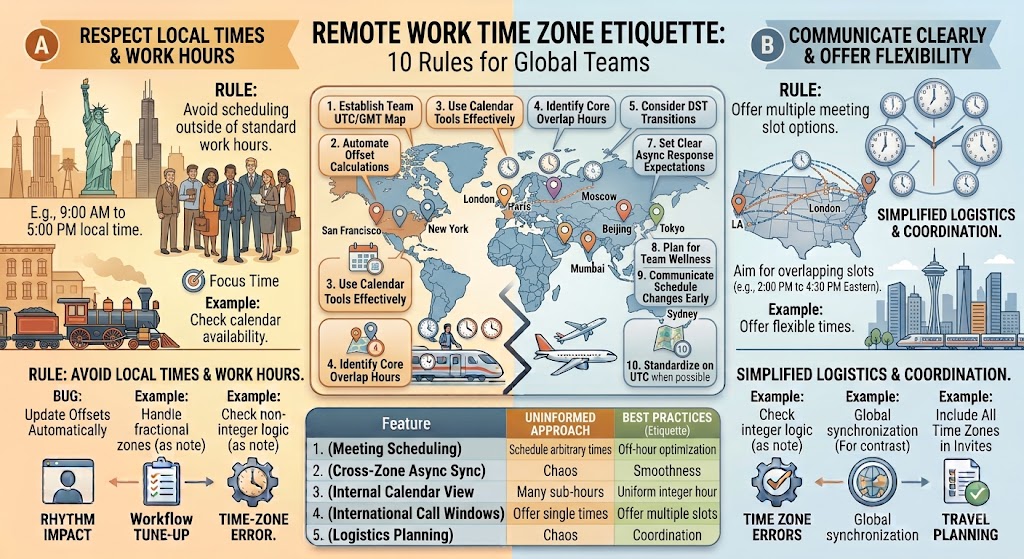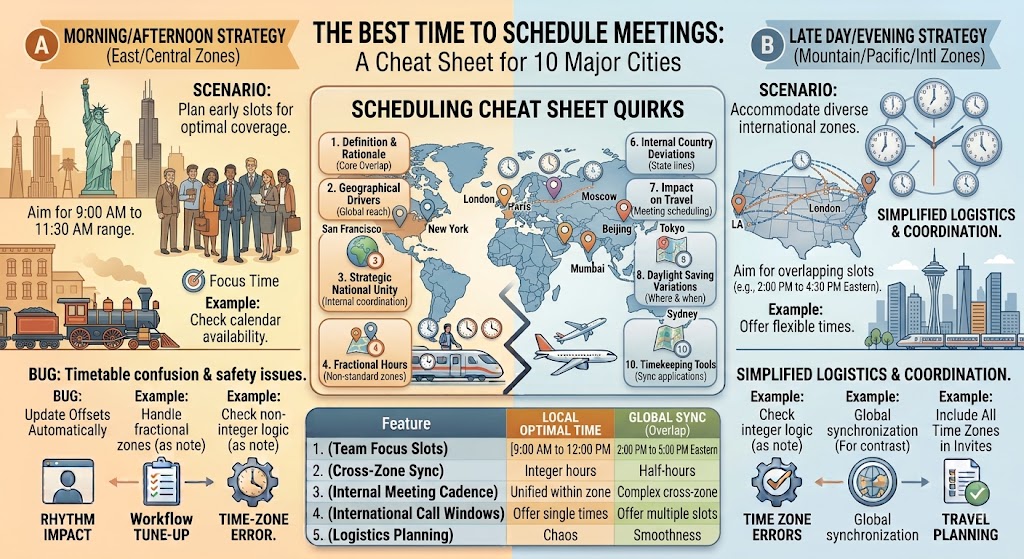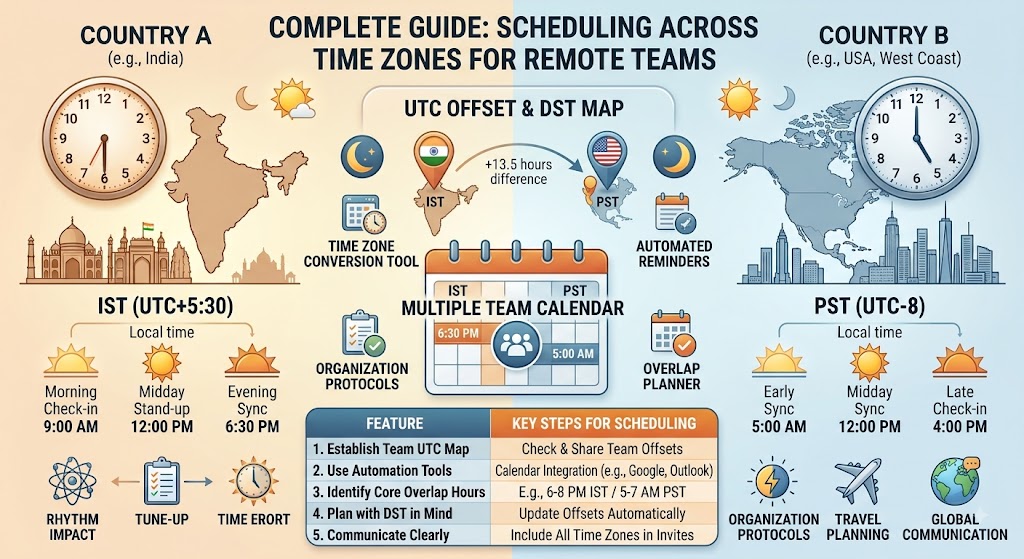
How to Schedule Meetings Across Multiple Time Zones – Complete Guide for Remote Teams
You're in New York. Your product team is in London. Your engineering team is in Bangalore. And your design team is in Sydney.
Someone suggests a "quick" 30-minute sync. You open your calendar and immediately regret it.
9 AM New York = 2 PM London = 7:30 PM Bangalore = 12 AM Sydney.
Good luck finding a time that doesn't ruin someone's day.
This is the reality of modern remote work. Teams are scattered across the globe, and scheduling meetings has become a nightmare. But it doesn't have to be.
Here's a practical guide to scheduling meetings across multiple time zones — no more 3 AM calls, no more "I didn't realize it was midnight for you" emails.
Use the free time zone converter here →
The Short Answer: How to Schedule Across Time Zones
The golden rule: Find the overlap between everyone's working hours.
Instead of guessing what time works for everyone, find the intersection of working hours for all participants. If that window doesn't exist, rotate the inconvenience fairly.
Quick checklist before scheduling:
- List each person's location and time zone
- Find each person's typical working hours (9-5, 10-6, etc.)
- Find the overlap window using UTC conversion
- If no overlap exists, rotate the burden
- Always share a time zone converter link in the invite
That's the framework. Everything else is just execution.
Step 1: Map Your Team's Time Zones
The first step is simple: know where everyone is and what their working hours are.
Create a Team Time Zone Map
| Team Member | Location | Time Zone | UTC Offset | Working Hours (Local) | UTC Equivalent |
|---|---|---|---|---|---|
| Sarah | New York | EST | UTC -5:00 | 9 AM - 6 PM | 2 PM - 11 PM UTC |
| Tom | London | GMT | UTC +0:00 | 9 AM - 6 PM | 9 AM - 6 PM UTC |
| Priya | Bangalore | IST | UTC +5:30 | 10 AM - 7 PM | 4:30 AM - 1:30 PM UTC |
| Yuki | Tokyo | JST | UTC +9:00 | 9 AM - 6 PM | 12 AM - 9 AM UTC |
| Emma | Sydney | AEST | UTC +10:00 | 9 AM - 6 PM | 11 PM - 8 AM UTC |
Why This Matters
This map immediately shows you:
- Who's working when
- Where the natural overlaps are
- Who's always the odd one out
Pro tip: Keep this as a living document. Update it when team members relocate or when DST changes.
Step 2: Find the Overlap Window
The overlap window is the intersection of everyone's working hours in UTC.
Method 1: The Manual Calculation
Step 1: Convert everyone's working hours to UTC
| Person | Local Working Hours | UTC Working Hours |
|---|---|---|
| New York | 9 AM - 6 PM EST | 2 PM - 11 PM UTC |
| London | 9 AM - 6 PM GMT | 9 AM - 6 PM UTC |
| Bangalore | 10 AM - 7 PM IST | 4:30 AM - 1:30 PM UTC |
Step 2: Find the intersection
- New York: 2 PM - 11 PM UTC
- London: 9 AM - 6 PM UTC
- Bangalore: 4:30 AM - 1:30 PM UTC
Intersection: 2 PM - 1:30 PM? Wait — that's only 30 minutes!
Step 3: The window is 2 PM - 1:30 PM UTC = 30 minutes (2 PM to 2:30 PM UTC only)
Local times:
- New York: 9 AM - 9:30 AM EST
- London: 2 PM - 2:30 PM GMT
- Bangalore: 7:30 PM - 8 PM IST
That's your window. It's tight, but it exists.
Method 2: The Visual Approach
Plot everyone's working hours on a 24-hour timeline:
UTC 0 1 2 3 4 5 6 7 8 9 10 11 12 13 14 15 16 17 18 19 20 21 22 23 24
NY  [-------WORKING-------]
LON                   [-------WORKING-------]
BAN  [-------WORKING-------]
Find the vertical line that passes through all three bars. That's your overlap.
Method 3: Use a Tool
Our time zone converter automatically shows you the working hours overlap between any two time zones. For multiple zones, you can quickly check pair by pair.
The Problem: When There's No Overlap
Here's the reality for many global teams: there is no overlap window.
Example: India and California
- India: 10 AM - 7 PM IST = 4:30 AM - 1:30 PM UTC
- California: 9 AM - 6 PM PST = 5 PM - 2 AM UTC
Intersection: 5 PM - 1:30 PM? That's negative. There is no overlap.
What Do You Do?
Option 1: One side compromises
- California starts early: 7 AM PST = 8:30 PM IST
- India stays late: 9 PM IST = 8:30 AM PST
Option 2: Rotate the burden
- Week 1: California starts early (7 AM PST)
- Week 2: India stays late (9 PM IST)
- Week 3: California starts early again
Option 3: Async communication
- Not everything needs a live call
- Use Slack, email, or recorded Loom videos
- Save live calls for critical discussions
The Golden Rule of No-Overlap Scheduling
The goal isn't a perfect time — the goal is the least bad time for everyone.
And remember: if someone's always the one staying late or waking up early, they'll burn out. Share the burden.
Step 3: Check for DST Changes
Daylight Saving Time is the silent killer of global meetings.
The Problem
- New York: Changes DST in March and November
- London: Changes DST in March and October (different dates!)
- India: No DST
- Sydney: Changes DST in October and April (opposite hemisphere!)
What happens: A meeting scheduled in February might be at a completely different time in March for some people.
How to Handle It
1. Always use UTC for the invite
Instead of saying "9 AM EST," say "2 PM UTC." Everyone converts to their own time.
2. Check DST status before scheduling
| Location | Is DST Active? (August) |
|---|---|
| New York | Yes (EDT, UTC -4) |
| London | Yes (BST, UTC +1) |
| India | No (IST, UTC +5:30) |
| Sydney | No (AEST, UTC +10) |
| Tokyo | No (JST, UTC +9) |
3. Use a tool that handles DST automatically
Our time zone converter shows current DST status and automatically adjusts for both locations.
Step 4: Choose the Meeting Format
Different types of meetings need different scheduling approaches:
| Meeting Type | Best Approach |
|---|---|
| Daily stand-up | Same time every day, choose the most convenient overlap |
| Weekly team sync | Rotate times weekly |
| Monthly review | Choose a time that works for most, record for others |
| Client call | Client's time zone takes priority |
| Emergency meeting | Whoever's available, record for others |
| Brainstorming session | Find the best overlap, keep it under 1 hour |
| Async decision | No live meeting needed — use Slack or email |
The 2-Hour Rule
Never schedule a meeting longer than 2 hours across time zones.
If you need more time, split it into two sessions or do it async. People's attention spans are shorter when they're operating outside their normal hours.
Step 5: Send the Invite (The Right Way)
What a Good Cross-Time Zone Invite Looks Like
Subject: Weekly Team Sync - All Hands
Time: 9:00 AM EST / 2:00 PM GMT / 7:30 PM IST / 12:00 AM AEST (next day)
Link: [Video call link]
Note: This time works for our New York, London, and Bangalore teams. For our Sydney team, we've recorded the meeting and will share the recording within 2 hours.
Check your local time: [Time Zone Converter Link]
Agenda:
- Updates from each region (5 min each)
- Q4 roadmap discussion (20 min)
- Open Q&A (10 min)
Will this be recorded? Yes
Who's attending:
- Sarah (NYC) - 9 AM
- Tom (London) - 2 PM
- Priya (Bangalore) - 7:30 PM
- Emma (Sydney) - 12 AM (tomorrow)
Common Mistakes (And How to Avoid Them)
1. Assuming Everyone Works 9-5
Not everyone works 9-5. Some teams start at 10, some at 8. Some have flexible hours, others don't.
Fix: Ask each person their preferred working hours. Don't assume.
2. Forgetting About Holidays
Time zones aren't the only thing that differs. So do holidays.
- Monday in the US might be Diwali in India
- Tuesday in the UK might be Thanksgiving in the US
- Friday in Australia might be the Queen's Birthday
Fix: Check holidays for all locations before scheduling something critical.
3. Not Recording Meetings
When one region is always the one staying up late, they'll miss details.
Fix: Record all cross-time zone meetings. Share the recording within 2 hours.
4. Ignoring Lunch Breaks
Meeting at 12 PM in someone's time zone? That's lunchtime.
Fix: Avoid 12 PM - 1 PM in any participant's time zone when possible.
5. Sending the Wrong Time
"Let's meet at 2 PM" — but 2 PM where?
Fix: Always include the time zone. "2 PM EST / 7 PM UTC" is unambiguous.
Real-World Examples
Example 1: The Tri-Continental Team
Team:
- San Francisco (PST, UTC -8)
- London (GMT, UTC +0)
- Bangalore (IST, UTC +5:30)
Working Hours:
- SF: 9 AM - 6 PM PST = 5 PM - 2 AM UTC
- London: 9 AM - 6 PM GMT = 9 AM - 6 PM UTC
- Bangalore: 10 AM - 7 PM IST = 4:30 AM - 1:30 PM UTC
Overlap Analysis:
- SF & London: 9 AM - 6 PM UTC (1 hour overlap: 5-6 PM UTC)
- SF & Bangalore: 4:30 AM - 1:30 PM UTC (no overlap)
- London & Bangalore: 9 AM - 6 PM UTC (1.5 hours: 4:30-6 PM UTC)
The Only Overlap:
- 4:30 PM - 6 PM UTC (1.5 hours)
- Local times: 8:30 AM SF, 4:30 PM London, 10 PM Bangalore
Decision: Rotate the burden. Monday: SF starts early (8:30 AM). Wednesday: Bangalore stays late (10 PM). Friday: Record and async.
Example 2: The Follow-the-Sun Team
Team:
- Tokyo (JST, UTC +9)
- London (GMT, UTC +0)
- New York (EST, UTC -5)
The "Follow the Sun" Model:
- Tokyo team works 9 AM - 6 PM JST = 12 AM - 9 AM UTC
- London team works 9 AM - 6 PM GMT = 9 AM - 6 PM UTC
- New York team works 9 AM - 6 PM EST = 2 PM - 11 PM UTC
Natural Handoffs:
- Tokyo → London: 9 AM UTC handoff
- London → New York: 2 PM UTC handoff
- New York → Tokyo: 12 AM UTC handoff
The Strategy:
- No live meetings across all three zones
- Each team meets with the next team during overlap
- Information flows continuously
Tools for Cross-Time Zone Scheduling
Recommended Tools
For scheduling meetings:
- Calendly — Shows your availability in the other person's time zone
- Clockwise — Finds optimal meeting times for teams
- Doodle — Poll-based scheduling for multiple people
For time zone conversion:
- Our time zone converter — Live conversion with working hours overlap
- World Time Buddy — Visual time zone comparison
- Every Time Zone — See all time zones simultaneously
For team coordination:
- Slack with time zone plugins
- Google Calendar — Enable multiple time zones
- Outlook — Time zone-aware scheduling assistant
The Simple Setup
- Google Calendar: Enable "World Clock" to see 3 time zones at once
- Slack: Set your status with your local time
- Calendly: Set your availability in UTC
- Bookmark our converter: Timezone Converter
The Etiquette of Cross-Time Zone Meetings
For Meeting Organizers
- Always include time zones — Not "2 PM" but "2 PM EST / 7 PM UTC"
- Check before you schedule — Ask each person if the time works
- Be fair — Don't always ask the same person to stay late
- Record meetings — Someone will always be offline
- Keep meetings short — 30 minutes max when crossing 3+ zones
For Meeting Attendees
- Reply with your local time — "2 PM UTC is 9 PM IST for me, works"
- Speak up if the time is bad — Don't suffer in silence
- Be on time — Respect others' limited overlap windows
- Check the recording if you miss it — Don't ask for a repeat
- Use the time zone converter — Check here if unsure
Frequently Asked Questions
How do I find the meeting overlap for multiple time zones?
Convert everyone's working hours to UTC, then find the intersection. Or use a tool like our time zone converter to check pairs.
What if there's no overlap for my team?
Rotate the inconvenience. One week, one region stays late. Next week, another region starts early. Or use async communication.
What's the best time for a global all-hands meeting?
There is no "best" time. Choose a time that works for most, record it, and share the recording with those who can't attend.
How do I handle DST changes?
Schedule in UTC or use a time zone tool that automatically accounts for DST. Always verify before sending the invite.
What tools help with cross-time zone scheduling?
Calendly, Clockwise, Doodle, and our time zone converter all handle time zone differences automatically.
Should I schedule recurring meetings at the same UTC time or local time?
Always use UTC time for recurring meetings. If you schedule at 2 PM UTC every Tuesday, everyone's local time stays consistent year-round. If you schedule at 9 AM EST, it becomes 8 AM EDT during DST — chaos.
How do I handle team members with flexible hours?
Ask each person for their preferred working hours. Flexible doesn't mean 24/7 — they still have preferences and boundaries.
What's the "Follow the Sun" model?
Work flows from one time zone to the next. Asia starts the day, Europe takes over, America finishes. No single team works 24/7 — the work travels.
How many time zones can be in one meeting?
Practically, 3 is the maximum for a live meeting. Beyond that, someone's always inconvenienced. Record it or use async.
Should I schedule meetings during lunch hours?
Avoid it if possible. 12 PM - 1 PM local time is lunch for most people. If you must, keep the meeting under 30 minutes.
Quick Reference: Scheduling Across Major Time Zones
| Location | Standard (Winter) | Daylight (Summer) | Overlap with NYC | Overlap with London | Overlap with Sydney |
|---|---|---|---|---|---|
| New York | UTC -5 | UTC -4 | — | 5h | 10h behind |
| London | UTC +0 | UTC +1 | 5h ahead | — | 10h ahead |
| Bangalore | UTC +5:30 | UTC +5:30 (no DST) | 10.5h ahead | 5.5h ahead | 5.5h behind |
| Sydney | UTC +10 | UTC +11 | 15h ahead | 10h ahead | — |
| Tokyo | UTC +9 | UTC +9 (no DST) | 14h ahead | 9h ahead | 1h behind |
Note: These change during DST. Always verify current offsets.
Final Thoughts
Scheduling meetings across multiple time zones is never easy. Someone's always going to be inconvenienced. The goal isn't perfection — it's fairness and practicality.
The two rules that changed how I schedule global meetings:
- Schedule in UTC — Always. No exceptions. Everyone converts from UTC.
- Rotate the burden — If Team A stays late this week, Team B starts early next week.
These two rules eliminate most of the frustration. The rest is just execution.
And when you're scheduling your next global meeting, keep our time zone converter open. It'll show you the overlap, handle the DST math, and save you from sending that "oops, I got the time wrong" email.
Start scheduling better global meetings → /timezone-converter
Tags: meeting scheduler, remote work, time zone overlap, global teams, follow the sun, time zone intelligence, business meeting planner, distributed teams, international meeting, time zone scheduling, cross-timezone meetings, global team collaboration, meeting time finder, time zone meeting etiquette, how to schedule international meetings