How to Onboard a Remote Employee in a Different Time Zone
Onboarding is hard. Onboarding someone in a different time zone is harder. The new hire cannot drop by your desk. They cannot join the spontaneous lunch. They cannot ask a quick question and get an instant answer.
If you treat remote onboarding like office onboarding, the new hire will spend their first month confused, isolated, and behind.
This playbook explains how to onboard a remote employee in a different time zone — step by step.
Use the free time zone converter here →
The Short Answer: What Makes Remote Onboarding Different
Remote onboarding across time zones requires structure, documentation, and deliberate human contact. Nothing happens by accident.
| Aspect | Office Onboarding | Remote Onboarding (Different Zone) |
|---|---|---|
| Questions | Ask anyone nearby | Must be written and batched |
| Context | Absorbed by osmosis | Must be documented |
| Social ties | Formed naturally | Must be scheduled |
| Feedback | Immediate | Delayed by hours |
| Visibility | Seen by default | Must be created |
| Overlap | Full | Limited or zero |
| Risk | Moderate | High without structure |
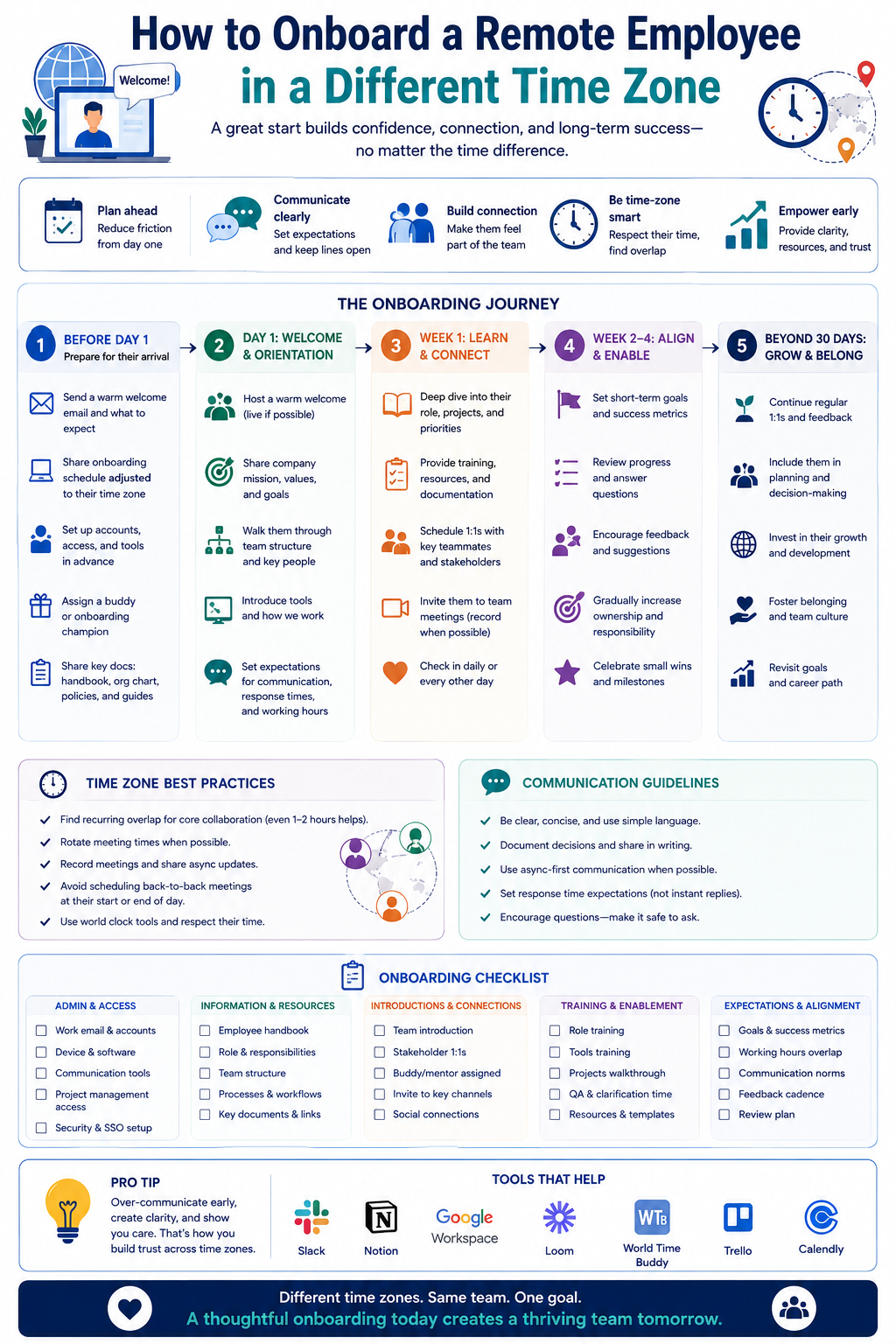
Phase 1: Pre-Boarding (Before Day One)
What to Prepare
Everything the new hire needs should be ready before their first day. A slow start signals disorganization.
| Item | Details |
|---|---|
| Laptop and equipment | Shipped early, confirmed delivery |
| Accounts and access | Email, chat, docs, tools |
| Calendar invites | First week schedule |
| Welcome message | From manager and team |
| Onboarding doc | Central source of truth |
| Buddy assignment | Named before day one |
| Time zone profile | Recorded in team directory |
The Pre-Boarding Email
Send a warm, clear welcome email with everything they need.
WELCOME — [Name]

START DATE: [Date]
YOUR TIME ZONE: [Zone]
YOUR BUDDY: [Name] — [Time Zone]

FIRST WEEK SCHEDULE:
  Day 1 — Setup and orientation
  Day 2 — Team introductions
  Day 3 — Tool training
  Day 4 — First task
  Day 5 — Check-in and questions

KEY CONTACTS:
  Manager: [Name] — [Time Zone]
  Buddy: [Name] — [Time Zone]
  HR: [Name] — [Time Zone]

WHAT TO READ FIRST:
  • Onboarding doc: [link]
  • Team handbook: [link]
  • Tool guides: [link]

QUESTIONS?
  Message [Buddy] anytime. We will respond within one working day.
Time Zone Preparation
| Task | Why |
|---|---|
| Record their time zone | Scheduling clarity |
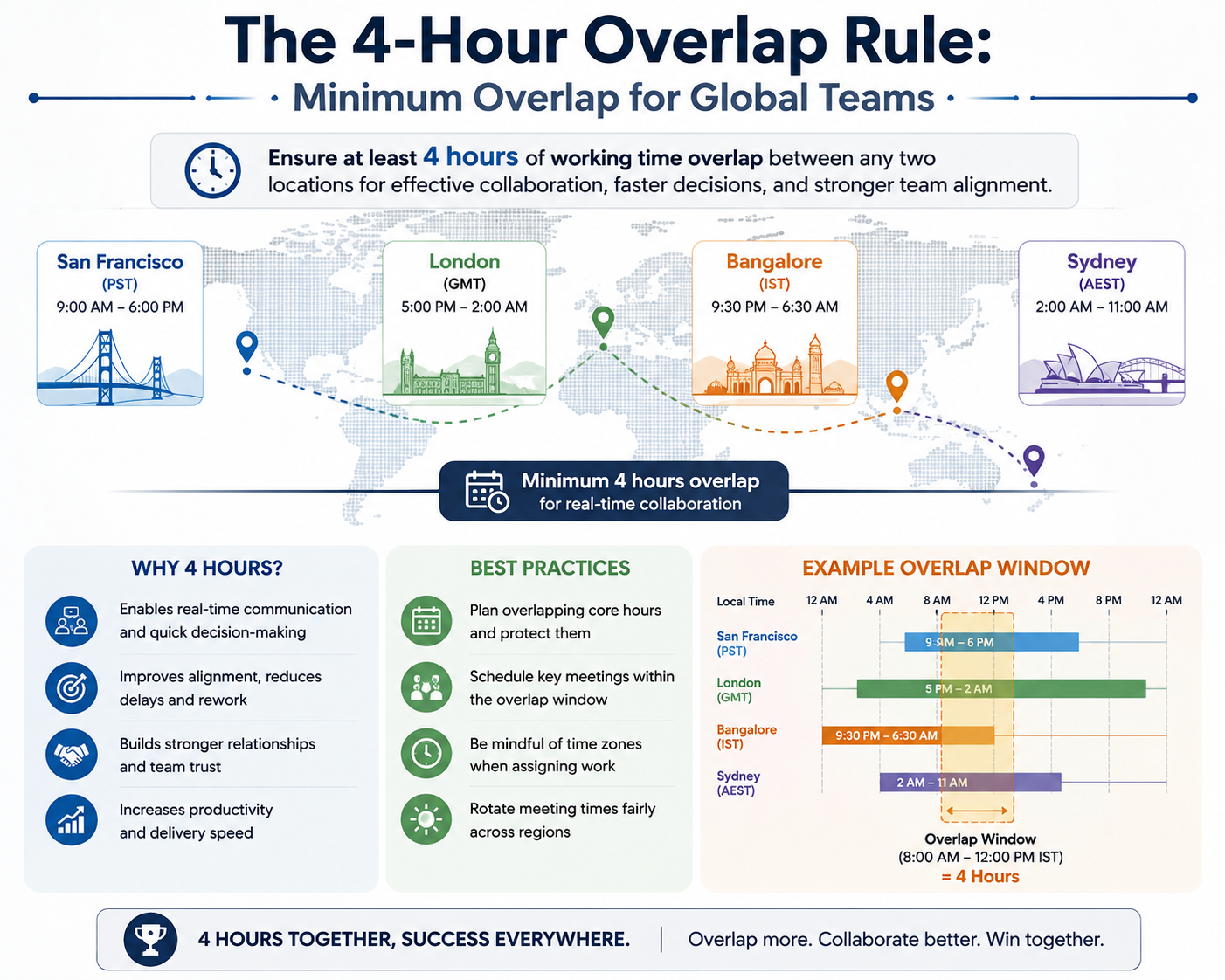
| Find overlap window | Real-time contact |
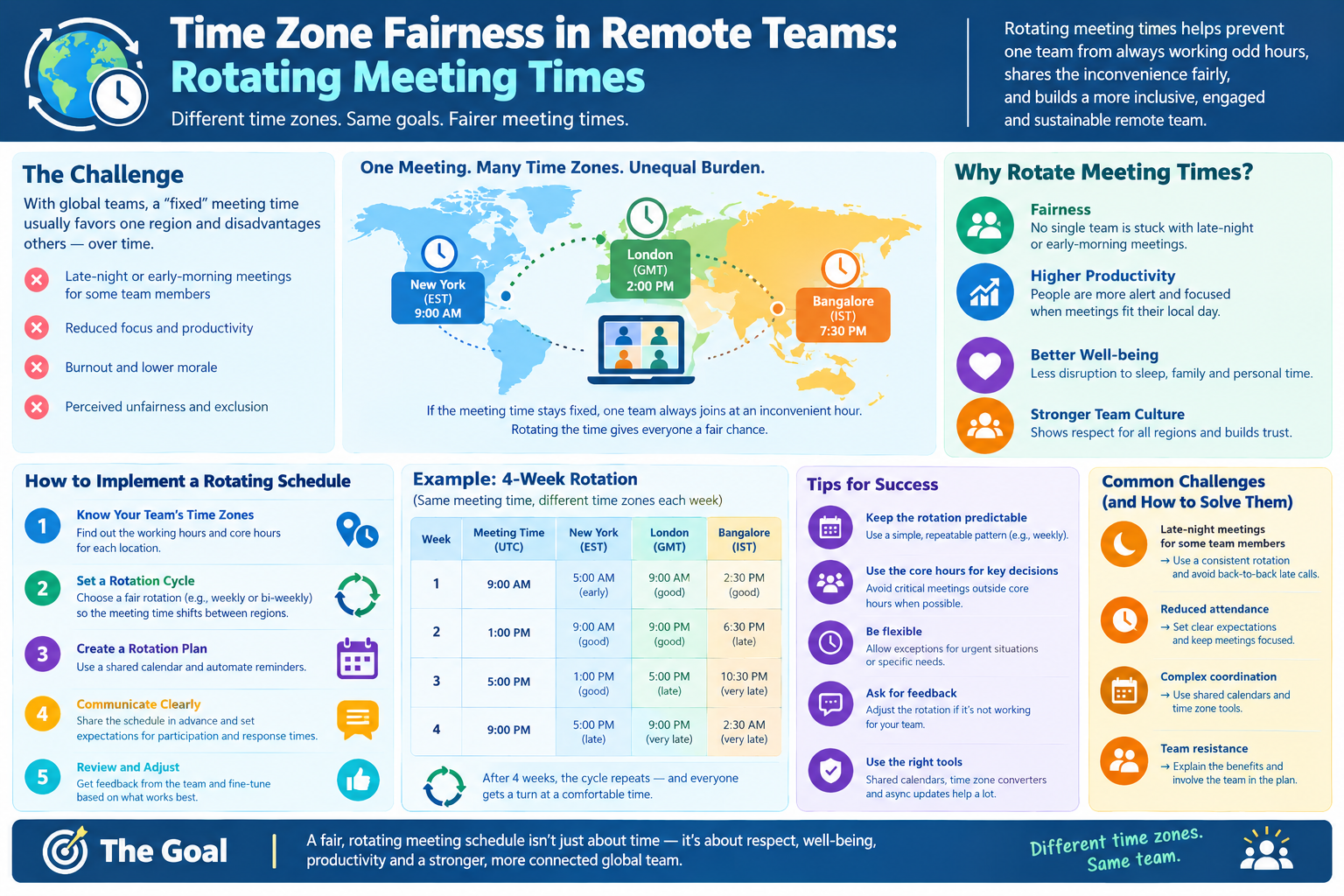
| Adjust meeting times | Fairness |
| Share team directory | Know who is where |
Phase 2: The First Week
Day 1: Setup and Welcome
The first day should be light on information, heavy on connection.
| Activity | Time | Purpose |
|---|---|---|
| Welcome call | 30 min | Human connection |
| Equipment check | 30 min | Ensure everything works |
| Account setup | 1 hour | Access to tools |
| Read onboarding doc | 1 hour | Orientation |
| Intro to buddy | 30 min | First friendly contact |
| End-of-day check-in | 15 min | Questions and reassurance |
Day 2–3: People and Context
| Activity | Purpose |
|---|---|
| Team introductions | Meet each person |
| 1:1 with manager | Expectations and goals |
| 1:1 with buddy | Informal Q&A |
| Read team docs | Understand projects |
| Shadow a meeting | See how work happens |
Day 4–5: First Work and Feedback
| Activity | Purpose |
|---|---|
| First small task | Build confidence |
| Code or work review | Learn standards |
| Feedback session | Correct early |
| Week one check-in | Address concerns |
| Plan week two | Clear direction |
The First Week Schedule Template
| Day | Live Activities | Async Activities |
|---|---|---|
| Mon | Welcome call, setup | Read onboarding doc |
| Tue | Team intros, manager 1:1 | Read team handbook |
| Wed | Buddy session, tool training | Explore tools |
| Thu | Shadow meeting, first task | Complete task |
| Fri | Feedback, check-in | Plan next week |
Phase 3: The Buddy System
Why a Buddy Matters
A buddy is a peer — not a manager — who answers questions, explains culture, and provides social connection. For remote hires in different time zones, the buddy is essential.
| Buddy Role | Manager Role |
|---|---|
| Answers quick questions | Sets goals |
| Explains unwritten rules | Gives feedback |
| Provides social contact | Manages performance |
| Shares context | Makes decisions |
Choosing a Buddy
| Criterion | Why |
|---|---|
| Time zone proximity | Some overlap helps |
| Patience | New hires ask a lot |
| Tenure | Knows the culture |
| Role similarity | Can answer technical questions |
| Volunteer | Wants to do it |
Buddy Guidelines
| Guideline | Details |
|---|---|
| Daily check-in, first week | 15 minutes |
| Twice weekly, first month | 15 minutes |
| Weekly, ongoing | 15 minutes |
| Async questions welcome | Respond within one day |
| Not a performance role | No feedback to manager |
Phase 4: Documentation
Why Docs Matter More Remotely
In an office, context is absorbed by osmosis. Remotely, if it is not written, it does not exist.
| Document | Purpose |
|---|---|
| Onboarding doc | Central guide |
| Team handbook | Culture and norms |
| Tool guides | How to use systems |
| Process docs | How work happens |
| Glossary | Internal terms |
| FAQ | Common questions |
| Directory | Who is who, where |
The Onboarding Doc Structure
ONBOARDING DOC — [Name]

1. WELCOME
   • About the team
   • About the company

2. YOUR FIRST WEEK
   • Day-by-day schedule
   • Key contacts

3. TOOLS
   • Accounts and access
   • How to use each tool

4. PROCESSES
   • How we plan work
   • How we communicate
   • How we review work

5. CULTURE
   • Norms and expectations
   • Meeting etiquette
   • Async practices

6. PEOPLE
   • Team directory
   • Who to ask for what

7. FAQ
   • Common questions
Documentation Rules
| Rule | Why |
|---|---|
| Write for the reader | They lack your context |
| Include time zones | Prevent confusion |
| Update regularly | Stale docs mislead |
| Link, do not duplicate | One source of truth |
| Add dates and owners | Accountability |
Phase 5: Communication Norms
Setting Expectations
A new remote hire needs to know when and how to communicate.
| Question | Answer to Provide |
|---|---|
| When can I ask questions? | Anytime async, urgent via chat |
| How fast will I get answers? | Within one working day |
| What is urgent? | Outages, blockers, safety |
| What is not urgent? | Status, non-blocking questions |
| Where do I post? | Chat for quick, docs for decisions |
The Response Time Contract
| Channel | Expected Response |
|---|---|
| Chat (non-urgent) | Within one working day |
| Chat (urgent) | Within 1–2 hours |
| Within one working day | |
| Docs comments | Within one working day |
| Video call | Scheduled |
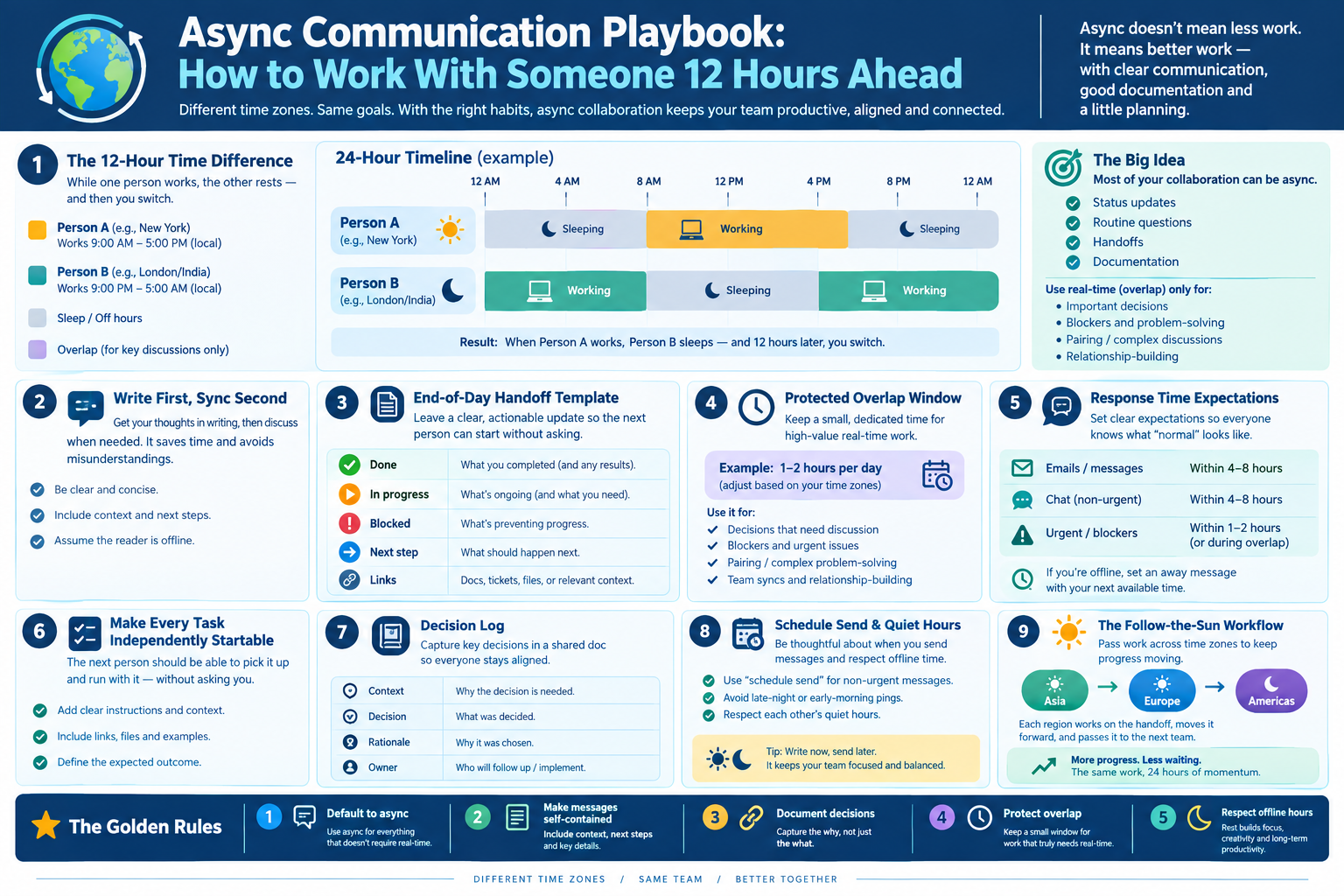
Async Etiquette for New Hires
| Practice | Why |
|---|---|
| Batch questions | Fewer round trips |
| Include context | Faster answers |
| State the ask clearly | No confusion |
| Use threaded replies | Keeps order |
| Say thank you | Builds relationships |
Phase 6: 30-60-90 Day Plan
The Framework
| Period | Focus | Goal |
|---|---|---|
| First 30 days | Learn | Understand team, tools, processes |
| Days 31–60 | Contribute | Take on real tasks |
| Days 61–90 | Own | Lead a small area |
30-Day Checklist
| Item | Done |
|---|---|
| Met all team members | ☐ |
| Completed tool training | ☐ |
| Read core docs | ☐ |
| Completed first task | ☐ |
| Understands communication norms | ☐ |
| Feels socially connected | ☐ |
60-Day Checklist
| Item | Done |
|---|---|
| Owns a recurring task | ☐ |
| Contributes to a project | ☐ |
| Gives feedback on onboarding | ☐ |
| Has a development goal | ☐ |
90-Day Checklist
| Item | Done |
|---|---|
| Leads a small initiative | ☐ |
| Mentors or helps others | ☐ |
| Fully integrated into team | ☐ |
| Performance review completed | ☐ |
Common Mistakes to Avoid
| Mistake | Why It Hurts |
|---|---|
| No pre-boarding | Slow, disorganized start |
| Information dump | Overwhelm |
| No buddy | Isolation |
| All live meetings | Time zone burden |
| No documentation | Endless questions |
| Ignoring time zone | Unfair scheduling |
| No check-ins | Problems go unnoticed |
| Assuming they will ask | They may not |
Quick Reference Card
━━━━━━━━━━━━━━━━━━━━━━━━━━━━━━━━━━━━━━━━━━━━━━━━━━━━━━━━━━
   REMOTE ONBOARDING ACROSS TIME ZONES — CHEAT SHEET
━━━━━━━━━━━━━━━━━━━━━━━━━━━━━━━━━━━━━━━━━━━━━━━━━━━━━━━━━━

SIX PHASES:
  1. Pre-boarding (before day one)
  2. First week
  3. Buddy system
  4. Documentation
  5. Communication norms
  6. 30-60-90 day plan

PRE-BOARDING CHECKLIST:
  ☐ Equipment shipped and confirmed
  ☐ Accounts and access ready
  ☐ Calendar invites sent
  ☐ Welcome message sent
  ☐ Onboarding doc prepared
  ☐ Buddy assigned
  ☐ Time zone recorded

FIRST WEEK:
  Day 1 → Setup and welcome
  Day 2 → People and context
  Day 3 → Tools and training
  Day 4 → First task
  Day 5 → Feedback and plan

BUDDY CADENCE:
  First week   → Daily, 15 min
  First month  → Twice weekly
  Ongoing      → Weekly

DOCUMENTATION RULES:
  • If it is not written, it does not exist
  • Include time zones everywhere
  • One source of truth
  • Update regularly

COMMUNICATION CONTRACT:
  Chat (non-urgent) → Within one working day
  Chat (urgent)     → Within 1–2 hours
  Email             → Within one working day

30-60-90:
  30 days → Learn
  60 days → Contribute
  90 days → Own

GOLDEN RULE:
  Nothing happens by accident remotely

━━━━━━━━━━━━━━━━━━━━━━━━━━━━━━━━━━━━━━━━━━━━━━━━━━━━━━━━━━
         Check live conversions at: /timezone-converter
━━━━━━━━━━━━━━━━━━━━━━━━━━━━━━━━━━━━━━━━━━━━━━━━━━━━━━━━━━
Frequently Asked Questions
How do you onboard a remote employee in a different time zone?
Use a structured six-phase process: pre-boarding preparation, a light first week, a buddy system, thorough documentation, clear communication norms, and a 30-60-90 day plan.
What should be ready before the new hire's first day?
Equipment shipped and confirmed, accounts and access, calendar invites, a welcome message, an onboarding document, a named buddy, and their time zone recorded in the team directory.
Why is a buddy important for remote onboarding?
A buddy provides peer support, answers quick questions, explains unwritten culture, and offers social connection — all things a manager cannot fully provide.
How often should a buddy check in?
Daily for the first week, twice weekly for the first month, then weekly ongoing. Each check-in can be as short as 15 minutes.
What documents does a remote new hire need?
An onboarding doc, team handbook, tool guides, process docs, a glossary, an FAQ, and a team directory with time zones.
How do you handle time zone differences during onboarding?
Schedule live sessions during the overlap window, record everything, provide written documentation, and avoid scheduling meetings during the new hire's night.
What is a 30-60-90 day plan for remote onboarding?
First 30 days: learn the team, tools, and processes. Days 31–60: contribute to real work. Days 61–90: own a small area and lead an initiative.
What is the biggest mistake in remote onboarding?
Assuming things will happen naturally. In remote work, nothing happens by accident — everything must be structured and documented.
How do you make a remote new hire feel included?
Schedule regular 1:1s, assign a buddy, include them in social chats, acknowledge their contributions publicly, and check in on their wellbeing.
Final Thoughts
Onboarding a remote employee in a different time zone is not harder than office onboarding — it is just different. It requires more structure, more documentation, and more deliberate human contact.
Get it right, and the new hire feels welcome, supported, and productive within weeks. Get it wrong, and they spend months confused and isolated — and eventually leave.
Three things to remember:
- Prepare before day one. Everything should be ready
- Assign a buddy. Peer support beats manager check-ins
- Document everything. If it is not written, it does not exist
Check time zone conversions instantly → /timezone-converter
Tags: onboard remote employee different time zone, remote onboarding process, time zone onboarding checklist, distributed team onboarding, remote new hire buddy system, async onboarding, 30-60-90 day plan remote, global team onboarding, time zone converter, remote employee integration