Tools for Global Teams: World Clock Apps, Scheduling Links, and Calendar Hacks
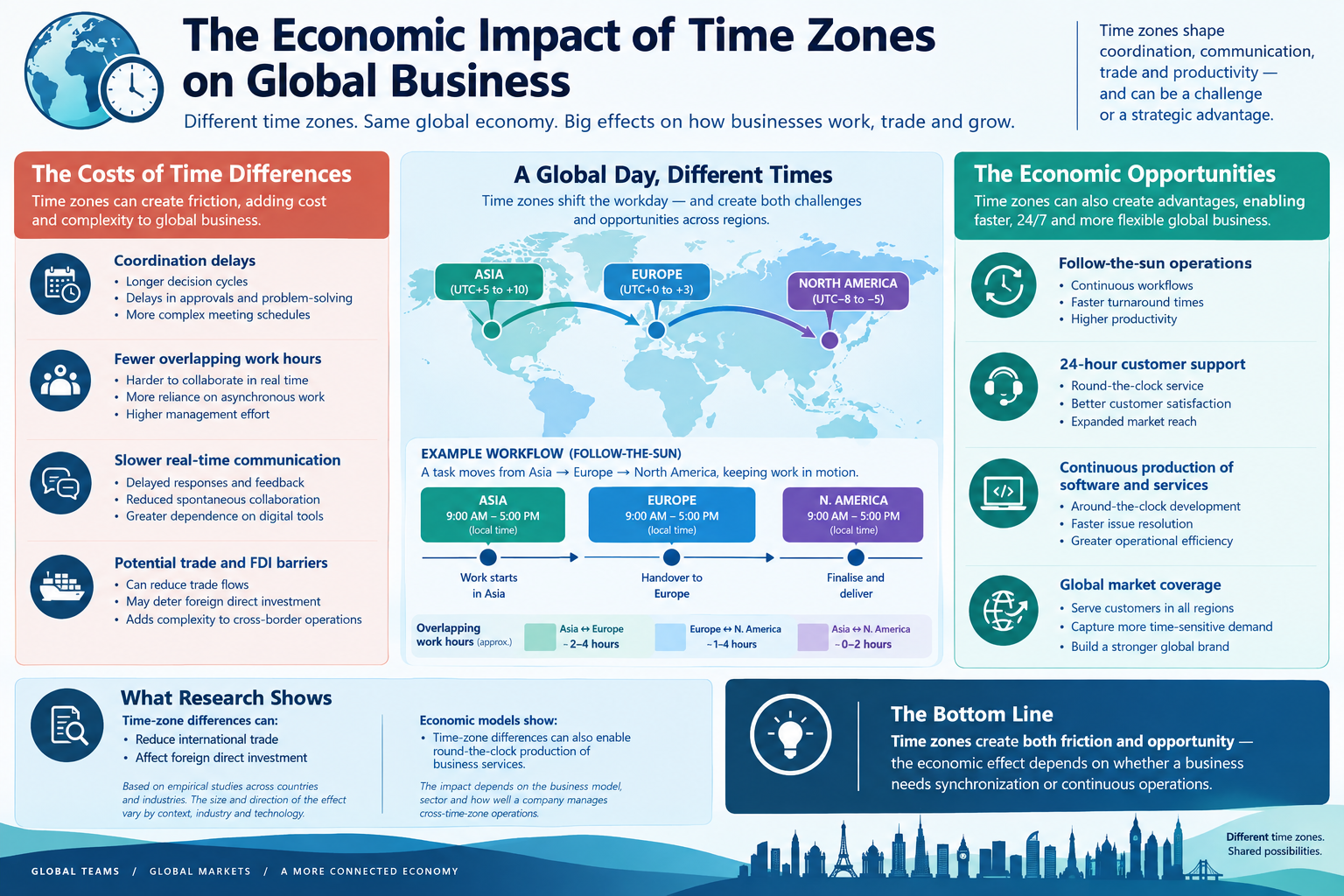
Global teams do not fail because of time zones. They fail because of bad tooling. A missing world clock, a confusing scheduling link, or a calendar that ignores time zones can turn a simple meeting into a week-long email thread.
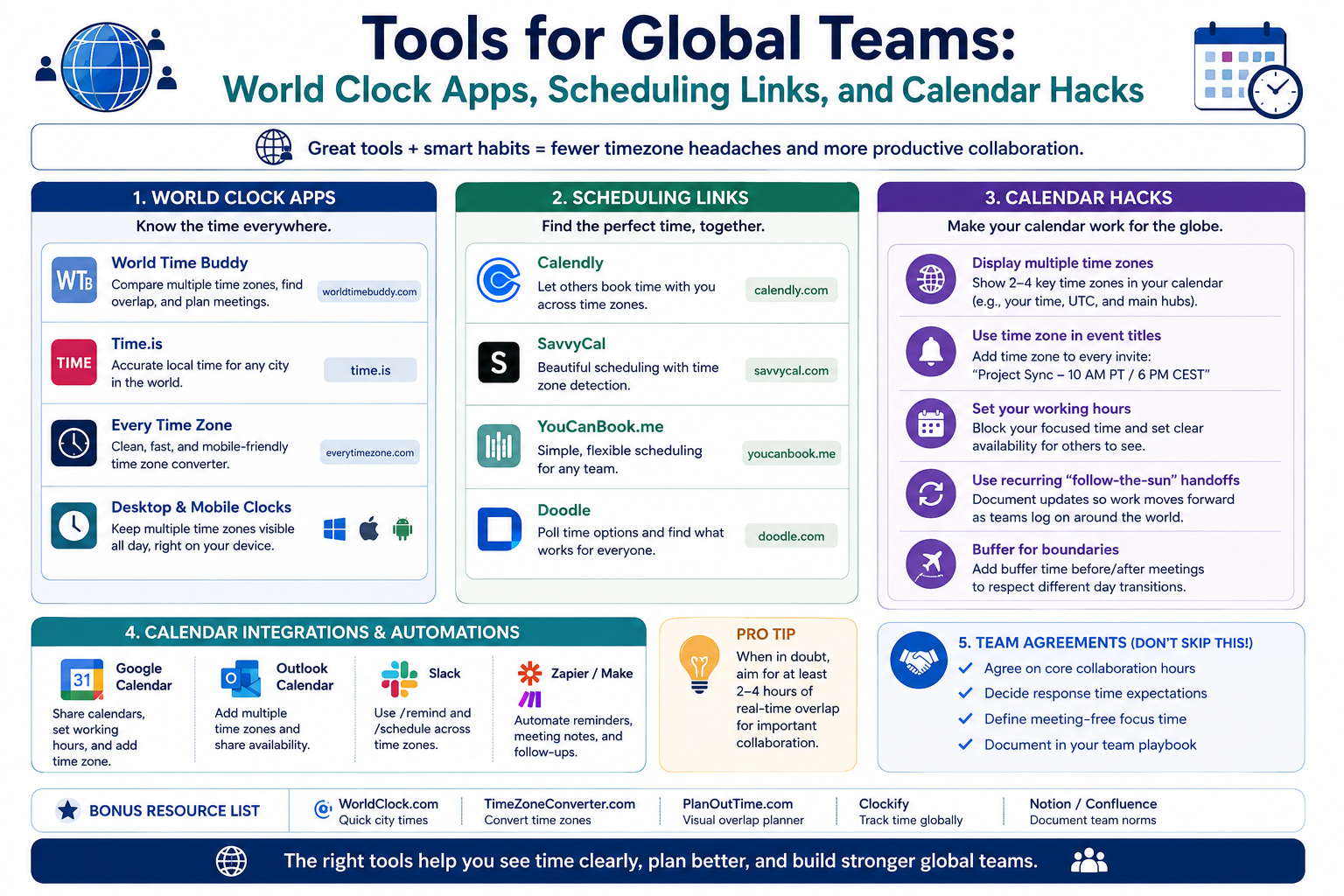
The right tools make time zone coordination almost invisible. This guide covers the categories that matter most: world clock apps, scheduling links, calendar hacks, and async alternatives.
Use the free time zone converter here →
The Short Answer: What Tools Do Global Teams Need?
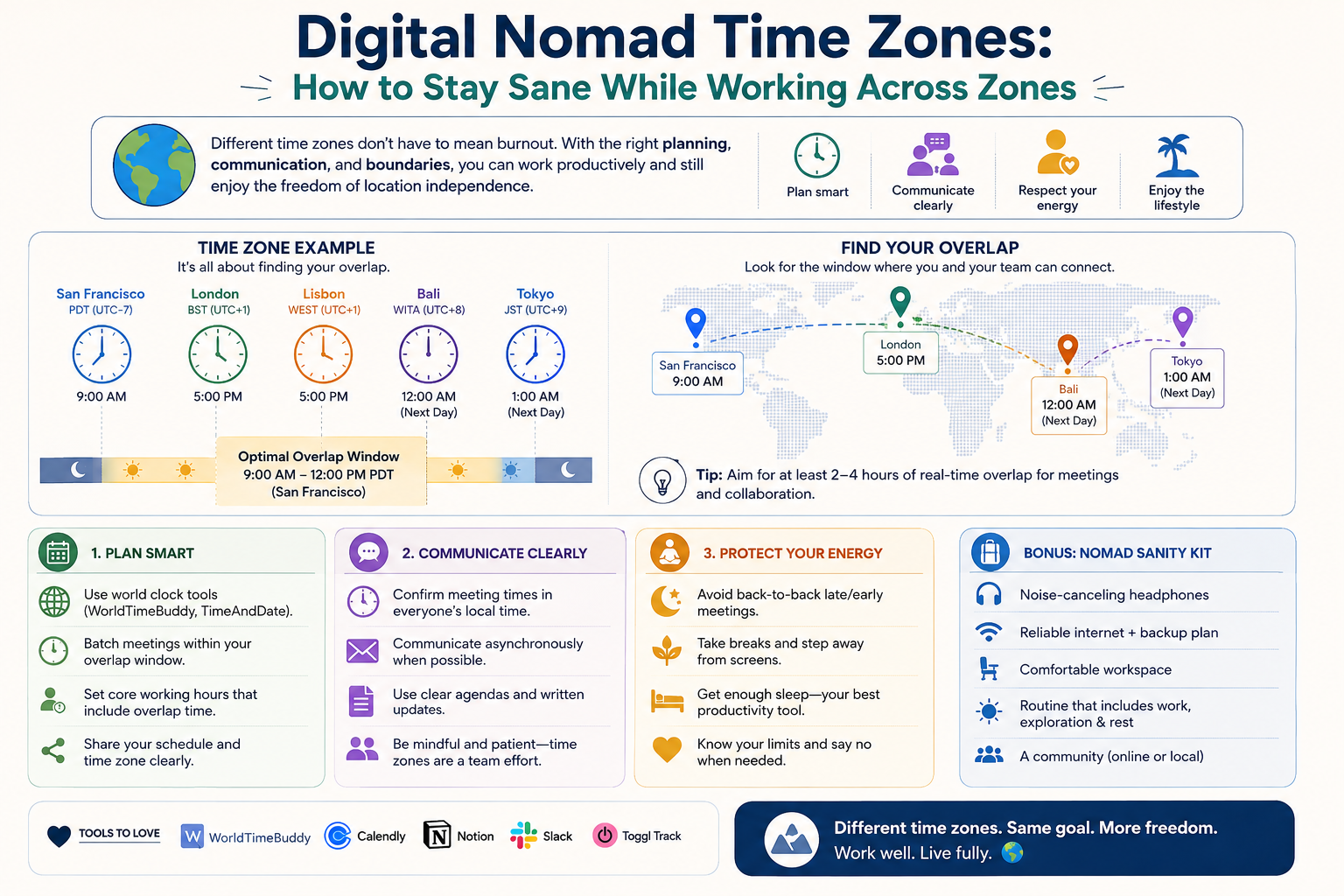
Global teams need four categories of tools: visibility (world clocks), scheduling (booking links), calendar management (zone-aware calendars), and async communication (recorded video and docs).
| Tool Category | Purpose | Examples |
|---|---|---|
| World clock apps | See multiple time zones at once | Built-in clocks, widgets |
| Scheduling links | Let others book your time | Calendar booking tools |
| Calendar hacks | Avoid time zone mistakes | Time zone settings, buffers |
| Async video | Replace live calls | Screen recording tools |
| Time zone converters | Convert specific times | Web converters |
| Team directories | Know everyone's zone | Profile fields |
Category 1: World Clock Apps
Why They Matter
The single most common time zone mistake is mental math. A world clock removes the math entirely.
| Problem | Solution |
|---|---|
| Mental conversion errors | Always-visible clocks |
| Forgetting DST | Automatic updates |
| Losing track of teammates | Named clocks |
| Scheduling confusion | Side-by-side view |
What to Look For
| Feature | Why It Matters |
|---|---|
| Multiple zones | See your whole team |
| Custom labels | "Priya — Bangalore" |
| DST handling | Automatic adjustment |
| Always visible | Menu bar or widget |
| Offline access | Works without internet |
Recommended Setup
Keep these clocks visible at all times:
| Clock | Purpose |
|---|---|
| Your local time | Daily life |
| UTC | Universal reference |
| HQ time zone | Company rhythm |
| Key teammate zones | Collaboration |
Best Practices
| Practice | Benefit |
|---|---|
| Label clocks with names | Instant recognition |
| Limit to 4–6 clocks | Avoid clutter |
| Include UTC | Universal anchor |
| Check before scheduling | Prevent mistakes |
Category 2: Scheduling Links
Why They Matter
Scheduling links eliminate the back-and-forth email dance of finding a meeting time.
| Without Links | With Links |
|---|---|
| Multiple emails | One click |
| Time zone confusion | Automatic conversion |
| Double bookings | Calendar sync |
| Forgotten DST | Handled automatically |
What to Look For
| Feature | Why It Matters |
|---|---|
| Time zone detection | Shows booker their local time |
| Calendar sync | Avoids conflicts |
| Buffer times | Prevents back-to-back fatigue |
| Availability windows | Protects your focus time |
| Multiple event types | Different meeting lengths |
| Team scheduling | Round-robin or collective |
Scheduling Link Rules
| Rule | Why |
|---|---|
| Set buffer times | Avoid meeting marathons |
| Limit daily meetings | Protect deep work |
| Block focus time | Prevent overbooking |
| Use round-robin for teams | Share the load |
| Add time zone to confirmation | Prevent confusion |
The Confirmation Email Hack
Always include the time zone in the confirmation.
| Bad | Good |
|---|---|
| "Meeting at 3 PM" | "Meeting at 3 PM UTC+05:30" |
| "See you Tuesday" | "Tuesday, 14:30 UTC / 09:30 EST" |
| "Morning your time" | "09:00–10:00 your local time" |
Category 3: Calendar Hacks
Hack 1: Set Your Calendar to a Fixed Zone
Keep your calendar in one reference zone — usually UTC or your home zone — so recurring events do not shift unexpectedly.
| Approach | Effect |
|---|---|
| Fixed zone | Events stay stable |
| Floating zone | Events shift when you travel |
| UTC reference | Universal clarity |
Hack 2: Add Time Zones to Event Titles
Make the time zone visible in every recurring meeting title.
| Bad Title | Good Title |
|---|---|
| "Weekly Sync" | "Weekly Sync — 14:00 UTC" |
| "Team Standup" | "Standup — 09:00 EST / 14:00 UTC" |
| "1:1" | "1:1 — 10:00 IST / 04:30 UTC" |
Hack 3: Use Buffer Blocks
Add 15-minute buffers between meetings. This prevents back-to-back fatigue and absorbs overruns.
| Meeting Type | Buffer |
|---|---|
| Back-to-back calls | 15 min |
| After long meetings | 30 min |
| Before deep work | 15 min |
| End of day | 30 min |
Hack 4: Create a Team Time Zone Directory
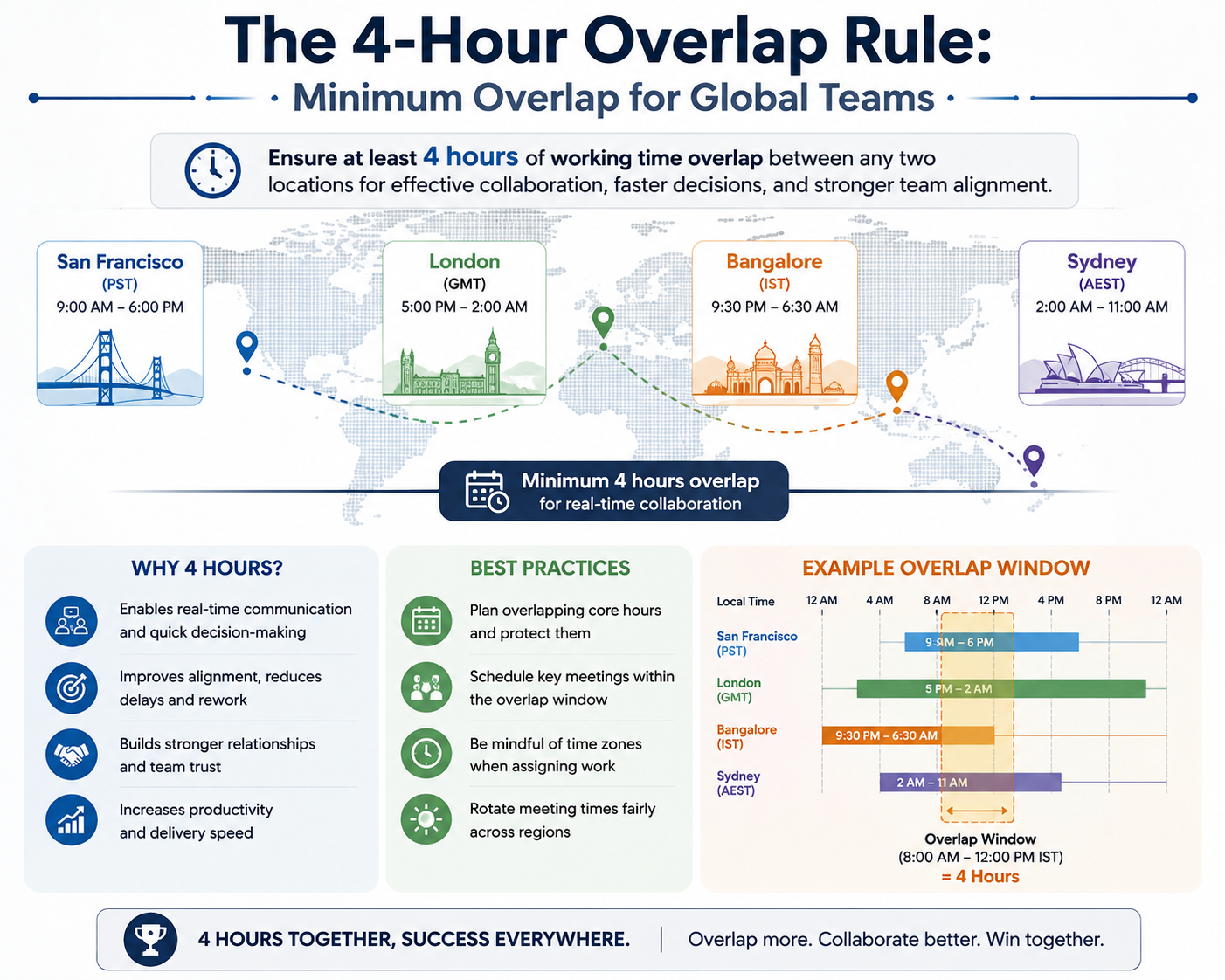
Maintain a shared document listing everyone's time zone and working hours.
| Field | Example |
|---|---|
| Name | Priya Sharma |
| Location | Bangalore, India |
| Time zone | IST (UTC+05:30) |
| Working hours | 09:00–18:00 IST |
| Overlap window | 14:00–17:00 UTC |
| Preferred contact | Chat for quick, docs for decisions |
Hack 5: Schedule Asymmetric Meetings
Not everyone needs to attend every meeting. Let some join live and others catch up async.
| Role | Attendance |
|---|---|
| Decision-makers | Live |
| Contributors | Async notes |
| Stakeholders | Recording |
| Observers | Summary |
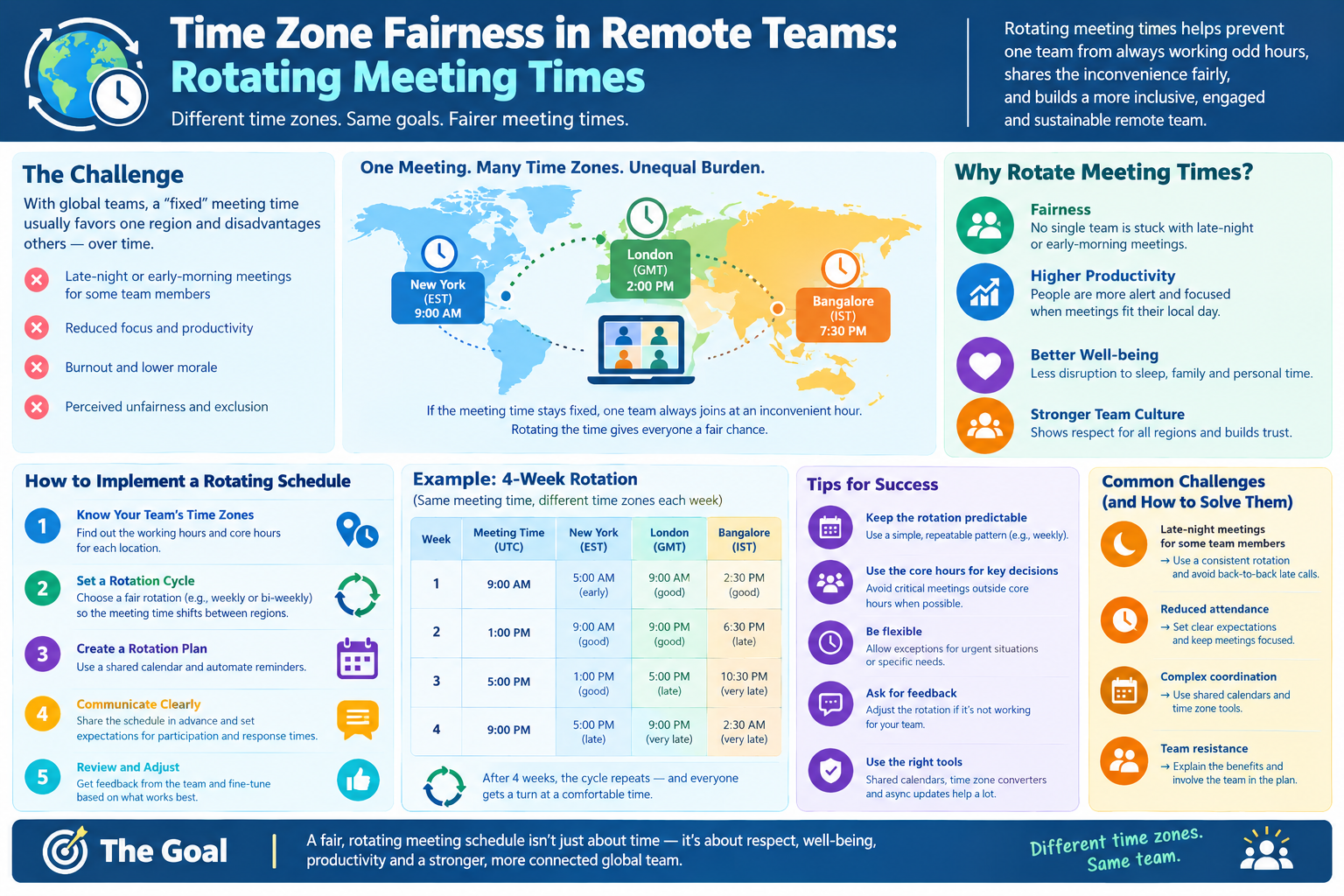
Hack 6: Use Recurring Meeting Rotation
Rotate recurring meeting times so the inconvenience is shared.
| Week | Time (UTC) |
|---|---|
| Week 1 | 14:00 |
| Week 2 | 08:00 |
| Week 3 | 22:00 |
| Week 4 | 12:00 |
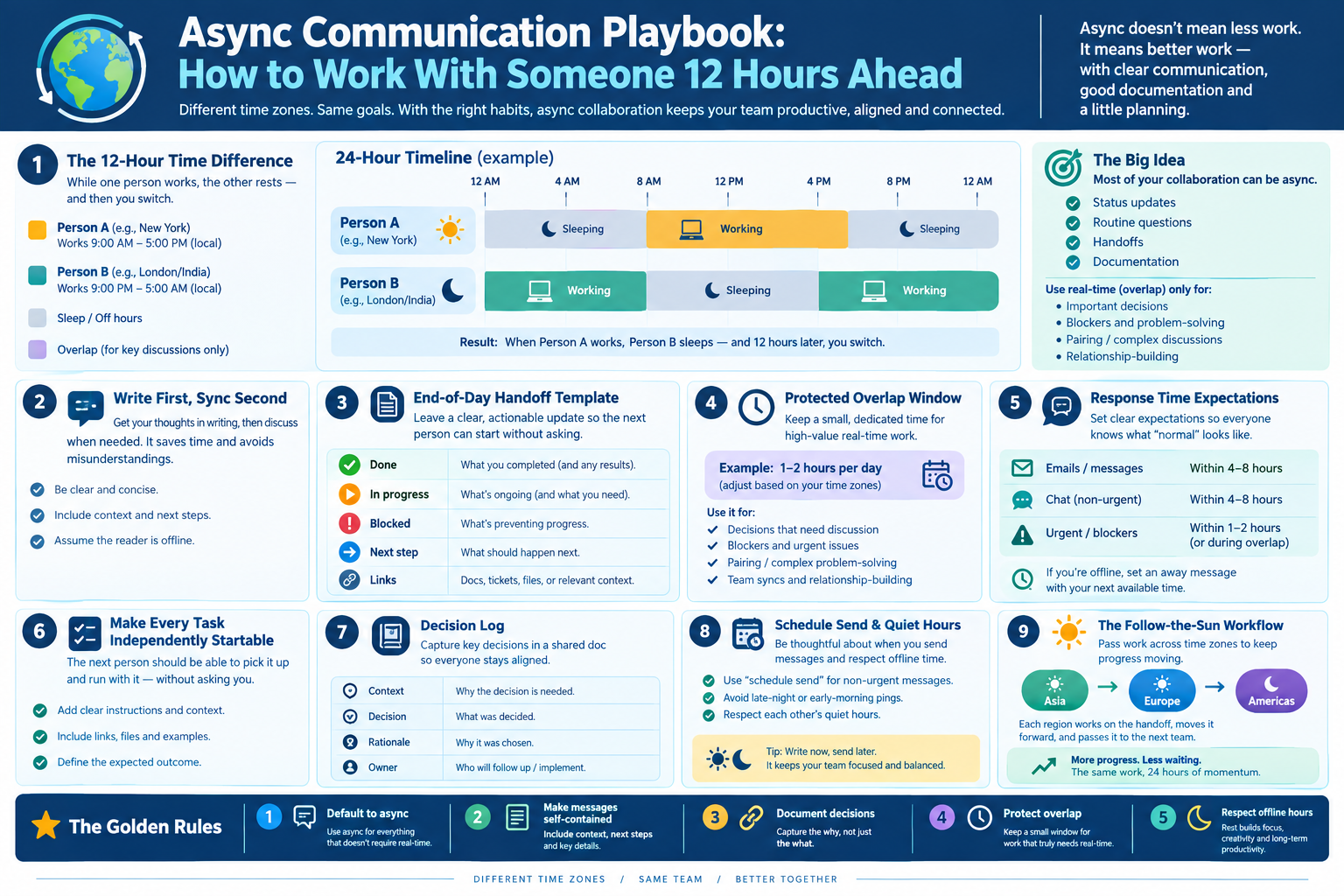
Hack 7: Convert Recurring Meetings to Async
The best calendar hack is fewer meetings. Convert status updates to written form.
| Meeting | Async Alternative |
|---|---|
| Daily standup | Written update thread |
| Weekly status | Shared doc |
| Progress review | Recorded video |
| Info session | FAQ document |
Category 4: Async Video Tools
Why Async Video Matters
Async video replaces live calls when overlap is limited. Record your screen and voice, share the link, and let others watch on their schedule.
| Benefit | Explanation |
|---|---|
| No scheduling | Watch anytime |
| Replayable | Rewatch as needed |
| Searchable | Transcripts help |
| Scalable | One recording, many viewers |
| Time zone free | No overlap needed |
When to Use Async Video
| Use Case | Live Call? |
|---|---|
| Status update | No — record |
| Demo | No — record |
| Brainstorm | Yes — live |
| Decision | Sometimes |
| Conflict resolution | Yes — live |
| Training | No — record |
Async Video Best Practices
| Practice | Why |
|---|---|
| Keep under 10 minutes | Respect attention |
| Use chapters | Easy navigation |
| Include transcript | Searchable |
| State the ask clearly | No confusion |
| Add deadline | Creates urgency |
Category 5: Time Zone Converters
Why a Dedicated Converter Helps
Even with world clocks and scheduling links, sometimes you need to convert a specific time — a deadline, a market open, a flight arrival.
| Use Case | Example |
|---|---|
| Deadlines | "Due 17:00 UTC" |
| Market hours | NYSE open in my time |
| Flight times | Arrival in local time |
| Client calls | 10 AM EST in IST |
Converter Best Practices
| Practice | Why |
|---|---|
| Always check DST | Offsets shift |
| Use UTC as anchor | Universal reference |
| Double-check dates | Day can change |
| Share converted times | Prevent confusion |
The Global Team Tool Stack
| Layer | Tool Type | Purpose |
|---|---|---|
| Visibility | World clock | See zones at a glance |
| Scheduling | Booking links | Let others book |
| Calendar | Zone-aware calendar | Avoid mistakes |
| Conversion | Time zone converter | Specific conversions |
| Async video | Screen recording | Replace calls |
| Documentation | Shared docs | Decisions and context |
| Directory | Team profile | Know everyone's zone |
Quick Reference Card
━━━━━━━━━━━━━━━━━━━━━━━━━━━━━━━━━━━━━━━━━━━━━━━━━━━━━━━━━━
   TOOLS FOR GLOBAL TEAMS — CHEAT SHEET
━━━━━━━━━━━━━━━━━━━━━━━━━━━━━━━━━━━━━━━━━━━━━━━━━━━━━━━━━━

FOUR TOOL CATEGORIES:
  1. World clock apps — visibility
  2. Scheduling links — booking
  3. Calendar hacks — prevention
  4. Async video — replacement

WORLD CLOCK SETUP:
  • Your local time
  • UTC
  • HQ time zone
  • Key teammate zones
  • Label clocks with names
  • Limit to 4–6 clocks

SCHEDULING LINK RULES:
  • Set buffer times
  • Limit daily meetings
  • Block focus time
  • Always include time zone in confirmation

CALENDAR HACKS:
  1. Set calendar to a fixed zone
  2. Add time zones to event titles
  3. Use 15-min buffers
  4. Create a team time zone directory
  5. Schedule asymmetric meetings
  6. Rotate recurring meeting times
  7. Convert meetings to async

ASYNC VIDEO RULES:
  • Keep under 10 minutes
  • Use chapters and transcript
  • State the ask clearly
  • Add a deadline

GOLDEN RULE:
  If it can be a document, it should not be a meeting

━━━━━━━━━━━━━━━━━━━━━━━━━━━━━━━━━━━━━━━━━━━━━━━━━━━━━━━━━━
         Check live conversions at: /timezone-converter
━━━━━━━━━━━━━━━━━━━━━━━━━━━━━━━━━━━━━━━━━━━━━━━━━━━━━━━━━━
Frequently Asked Questions
What tools do global teams need most?
Global teams need four categories: world clock apps for visibility, scheduling links for booking, zone-aware calendars for prevention, and async video tools for replacing live calls.
Why use a world clock instead of mental math?
Mental math causes errors, especially with daylight saving time. A world clock shows all relevant zones at once and updates automatically.
How do scheduling links help across time zones?
Scheduling links automatically convert times to the booker's local zone, eliminating back-and-forth emails and double bookings.
What is the best calendar hack for global teams?
Set your calendar to a fixed reference zone and always include the time zone in event titles. This prevents recurring events from shifting unexpectedly.
Should recurring meetings be rotated?
Yes, if the same people are always inconvenienced. Rotating times shares the burden fairly across the team.
When should you use async video instead of a live call?
Use async video for status updates, demos, and training. Use live calls for brainstorming, decisions, and conflict resolution.
How long should an async video be?
Keep async videos under 10 minutes. Use chapters and transcripts so viewers can navigate quickly.
What should a team time zone directory include?
Name, location, time zone, working hours, overlap window, and preferred contact method.
What is the golden rule of global team meetings?
If it can be a document, it should not be a meeting. Fewer meetings means fewer time zone problems.
Final Thoughts
Tools do not eliminate time zones. But they can make time zones almost invisible. The right world clock prevents mental math errors. The right scheduling link removes email ping-pong. The right calendar hack stops recurring meetings from drifting.
And the best tool of all is fewer meetings. Every status update that becomes a document is one less time zone problem for your team.
Three things to remember:
- Visibility first. A world clock prevents most mistakes
- Automate scheduling. Booking links remove back-and-forth
- Async is the ultimate tool. Fewer live meetings means fewer time zone issues
Check time zone conversions instantly → /timezone-converter
Tags: tools for global teams, world clock apps, scheduling links, calendar hacks, time zone tools, distributed team software, meeting scheduler time zones, async video tools, world clock widget, time zone converter