Recurring Events and Time Zones: The Hardest Problem in Calendar Software
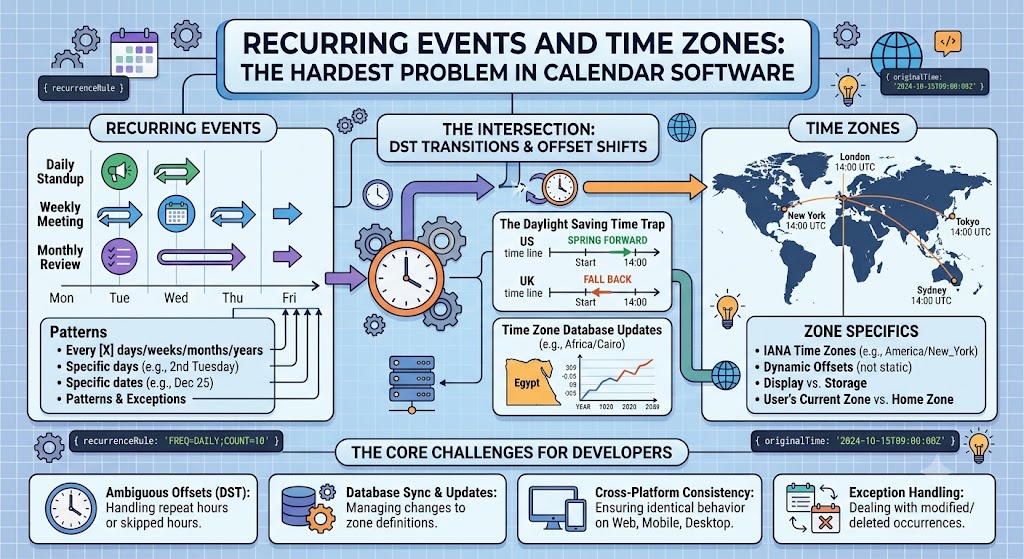
Ask any calendar engineer what the hardest problem in their domain is, and you will get the same answer: recurring events across time zones.
A single meeting is easy. Store a start time, an end time, and a time zone. Done. But a meeting that repeats every week, forever, across users in different time zones, through daylight saving transitions, over years of rule changes — that is where calendars break.
This guide explains why recurring events are so hard and how the industry handles them.
Use the free time zone converter here →
The Short Answer: Why Recurrence Is Hard
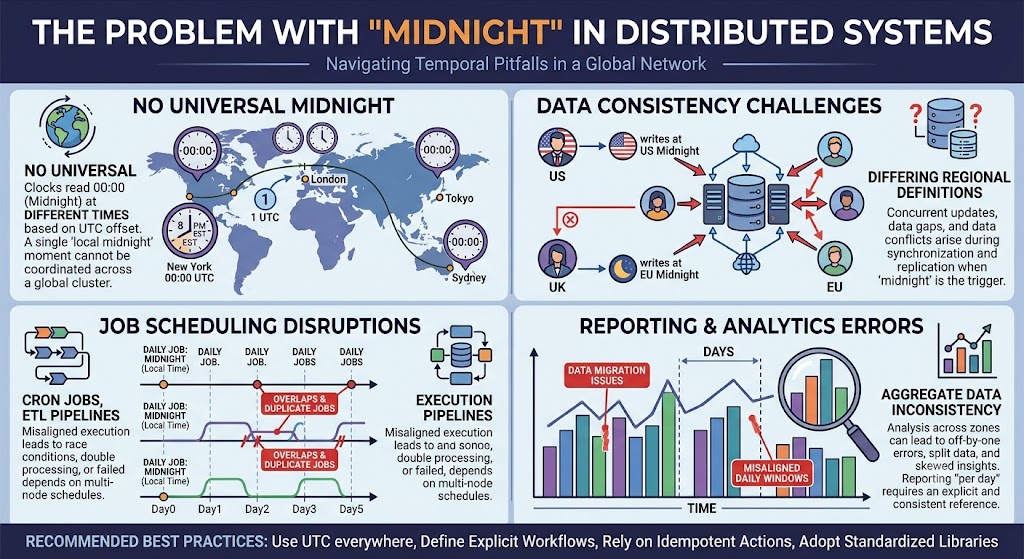
The difficulty comes from a collision between two ideas: recurrence rules (which repeat in calendar terms) and time zones (which shift in clock terms). When these two interact, especially across DST, the results are ambiguous or contradictory.
| Problem | Why It Hurts |
|---|---|
| RRULE is calendar-based | Repeats by date, not by instant |
| Time zones shift | Offsets change with DST |
| DST transitions | Times can skip or repeat |
| Travel | User's local zone changes |
| Rule changes | Governments alter DST rules |
| Infinite recurrence | Cannot expand forever |
| Exceptions | Each occurrence can be modified |
What Is a Recurring Event?
The Basic Concept
A recurring event is a single event definition that expands into many occurrences.
| Component | Meaning |
|---|---|
| DTSTART | First occurrence |
| RRULE | Recurrence rule |
| EXDATE | Excluded dates |
| RDATE | Additional dates |
| RECURRENCE-ID | Modified instance |
The RRULE Format
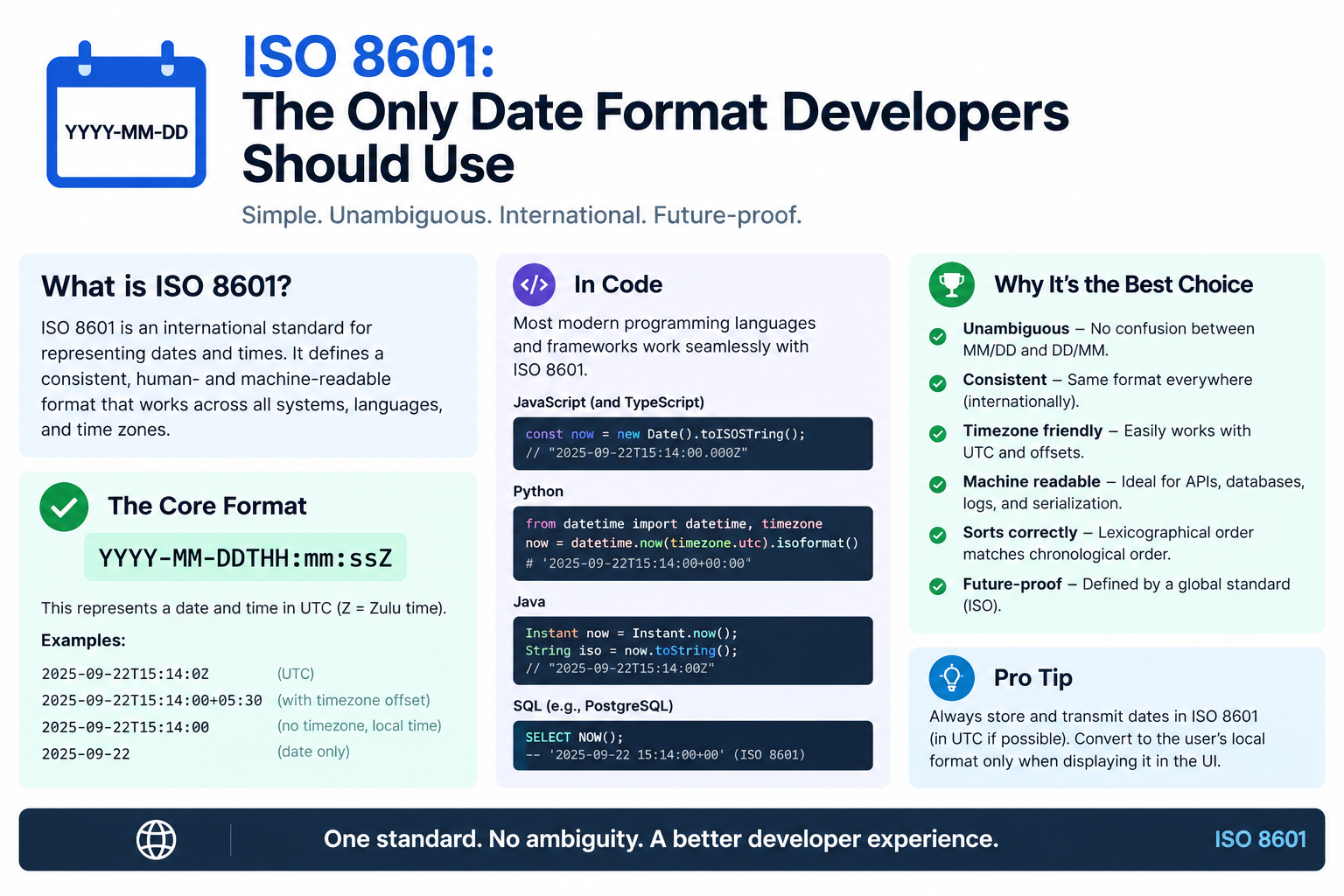
The iCalendar standard (RFC 5545) defines recurrence with the RRULE property.
| Part | Meaning |
|---|---|
| FREQ | DAILY, WEEKLY, MONTHLY, YEARLY |
| INTERVAL | Every N periods |
| COUNT | Total occurrences |
| UNTIL | End date |
| BYDAY | Day of week |
| BYMONTHDAY | Day of month |
| BYSETPOS | Position in set |
Example RRULE
FREQ=WEEKLY;BYDAY=MO;COUNT=10
This means: every Monday, 10 times.
The Core Conflict: Calendar Time vs Clock Time
Two Ways to Think About Repetition
| Concept | Meaning | Example |
|---|---|---|
| Calendar time | Same date and clock time | Every Monday at 09:00 local |
| Absolute time | Same instant | Every 168 hours |
Most meetings are defined in calendar time. People want to meet "every Monday at 09:00," not "every 168 hours."
Why This Creates Problems
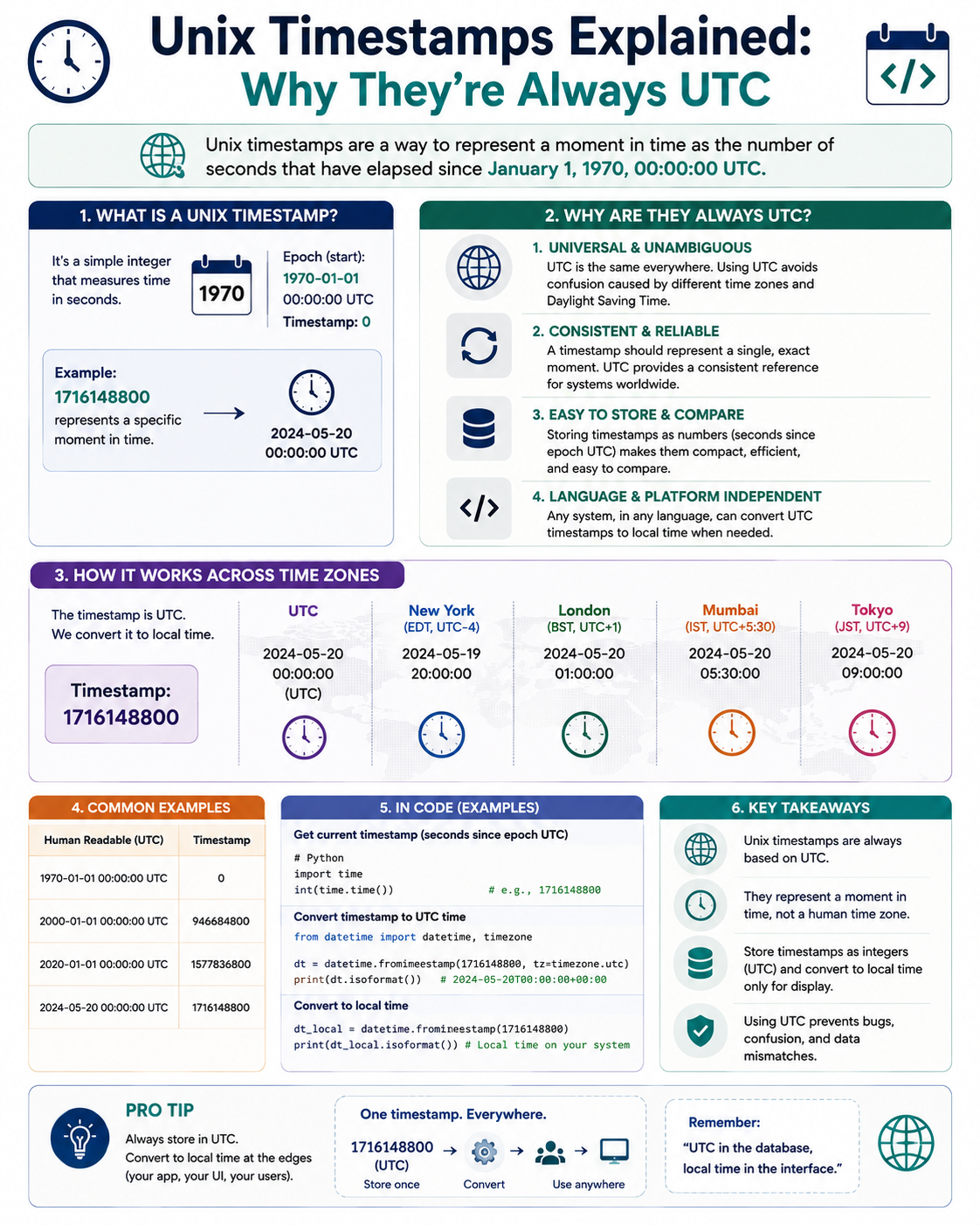
When calendar time meets a time zone with DST, the UTC instant shifts.
| Occurrence | Local Time | UTC Time |
|---|---|---|
| Winter Monday | 09:00 EST | 14:00 UTC |
| Summer Monday | 09:00 EDT | 13:00 UTC |
The local time stayed the same. The UTC time changed.
The Conflict
| Question | Answer |
|---|---|
| Does the meeting stay at 09:00 local? | Yes, if calendar-based |
| Does the meeting stay at 14:00 UTC? | Yes, if absolute |
| Can it be both? | No |
Every calendar system must choose. Most choose calendar time, which is what users expect.
The DST Problem in Detail
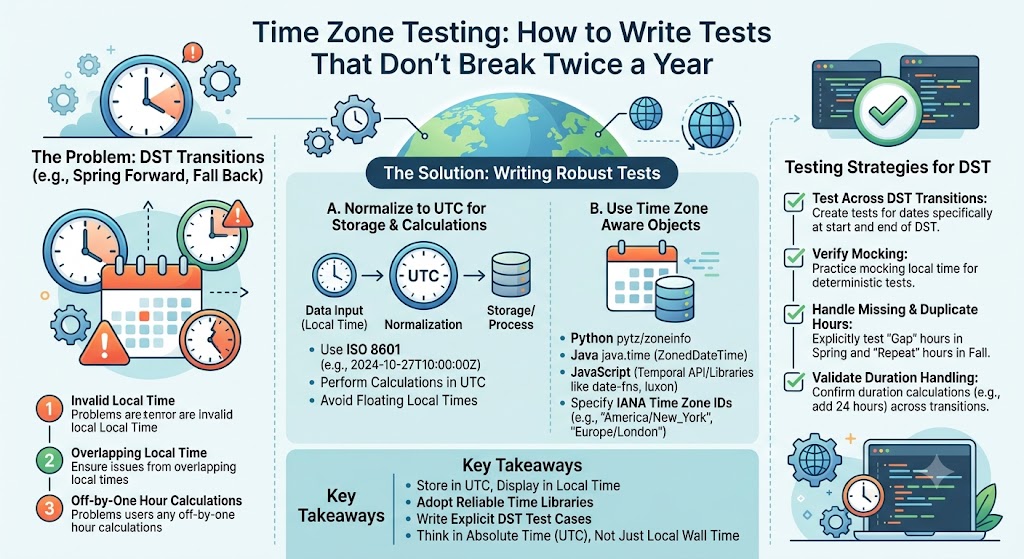
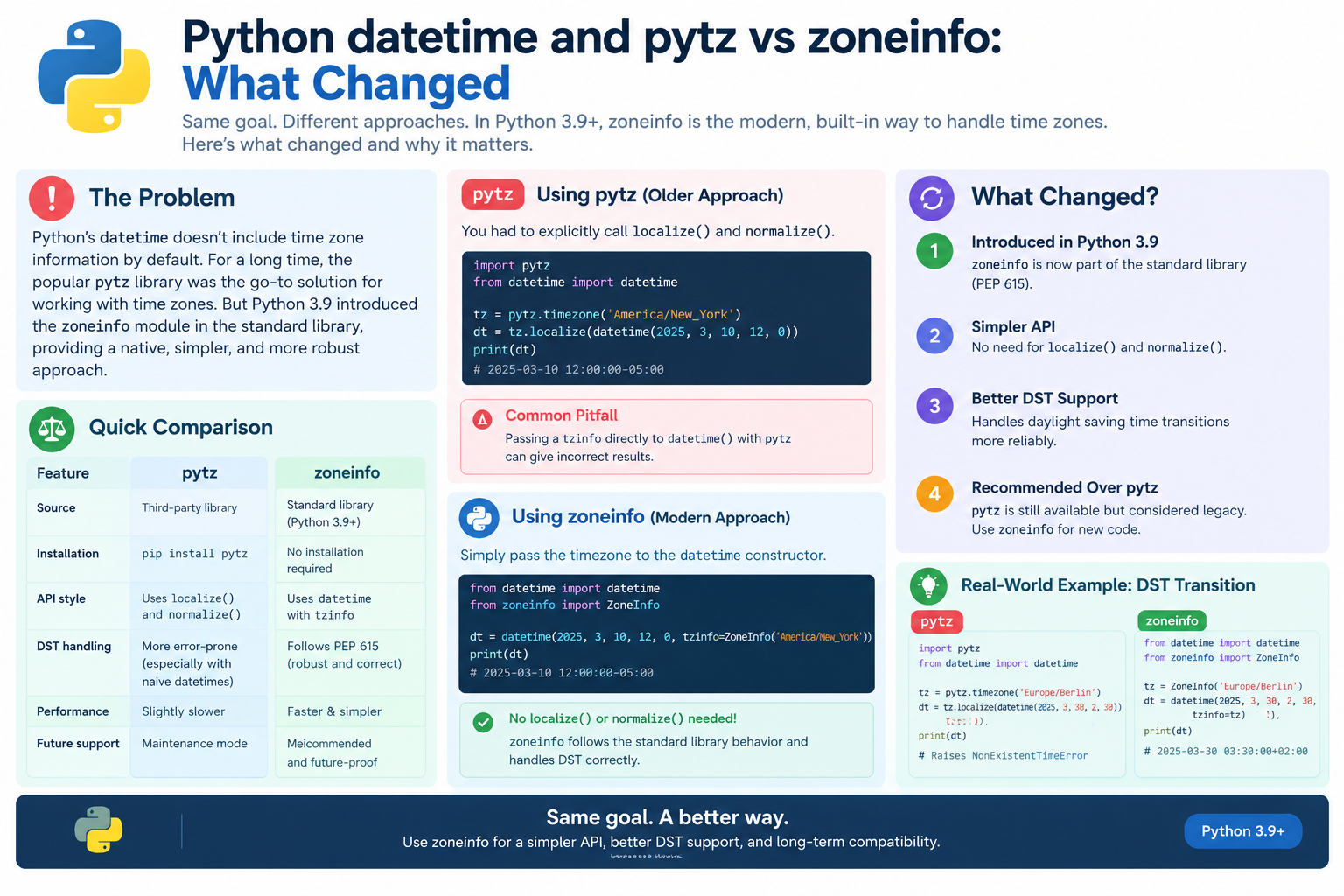
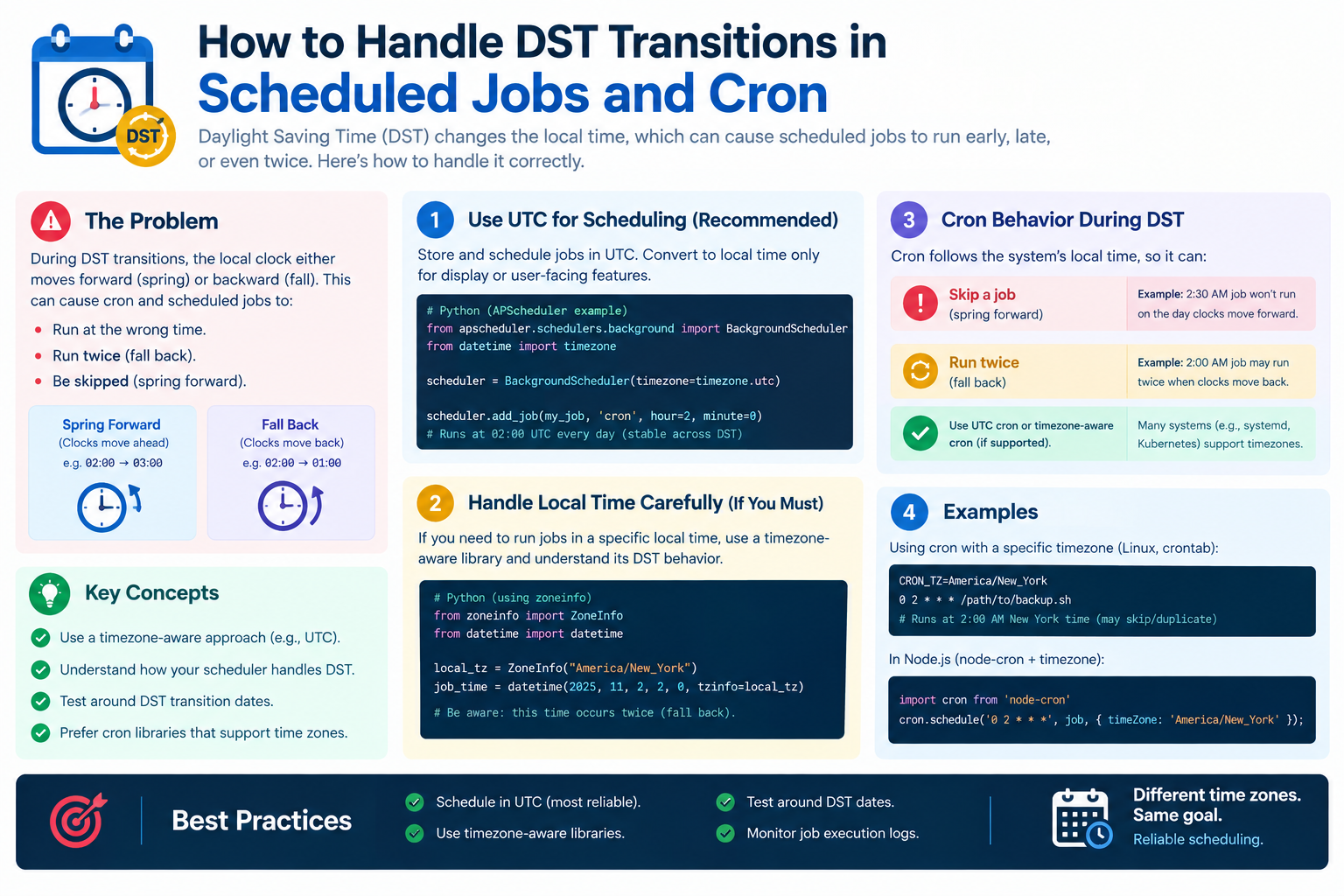
Case 1: The Meeting That Skips
A weekly meeting at 02:30 local on a Sunday. Spring forward makes 02:30 not exist.
| Week | Local Time | Exists? |
|---|---|---|
| Before DST | 02:30 | Yes |
| DST week | 02:30 | No |
| After DST | 02:30 | Yes |
Result: The meeting is skipped, shifted, or handled per policy.
Case 2: The Meeting That Doubles
A weekly meeting at 01:30 local on a Sunday. Fall back makes 01:30 happen twice.
| Week | Local Time | Occurrences |
|---|---|---|
| Before DST | 01:30 | 1 |
| DST week | 01:30 | 2 |
| After DST | 01:30 | 1 |
Result: The meeting may appear twice or trigger duplicate reminders.
Case 3: The Traveling User
A user travels from New York to London. Their "09:00 meeting" now means something different.
| Approach | Behavior |
|---|---|
| Anchor to organizer's zone | Time shifts for traveler |
| Anchor to attendee's zone | Meeting moves for everyone |
| Floating time | Same local time everywhere |
Most calendars anchor to the organizer's zone, so the traveler sees a shifted time.
Floating Time vs Absolute Time
Floating Time
Floating time has no time zone. It means "the same wall-clock time everywhere."
| Property | Meaning |
|---|---|
| No zone | Not tied to any location |
| Same local time | 09:00 everywhere |
| Different instants | 09:00 in each zone is different |
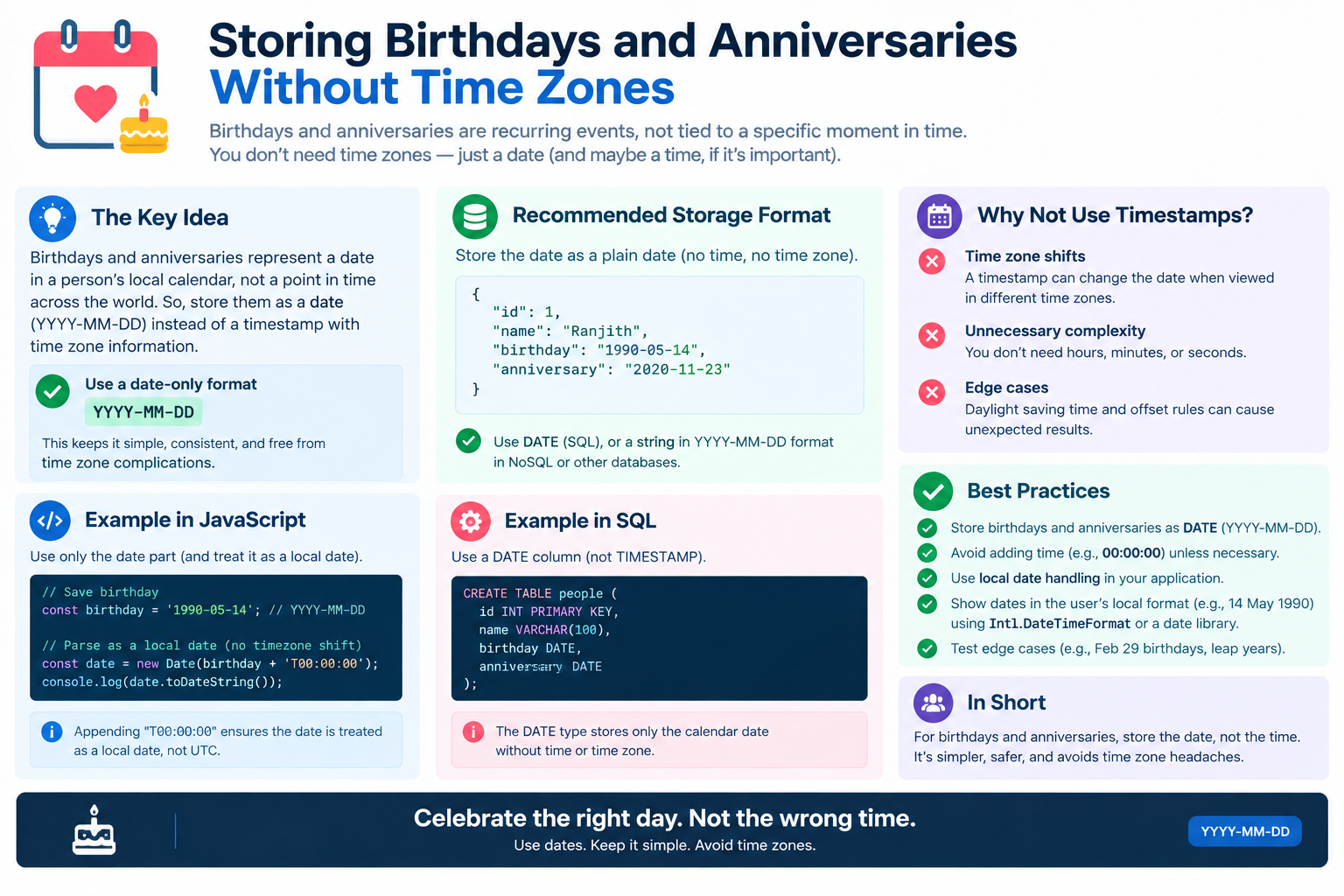
| Use case | All-day events, birthdays |
Absolute Time
Absolute time is tied to a specific instant, usually expressed in UTC.
| Property | Meaning |
|---|---|
| Has zone | Tied to a location or UTC |
| Same instant | One moment in time |
| Different local time | Displays differently per zone |
| Use case | Meetings, calls, deadlines |
When to Use Each
| Event Type | Time Type |
|---|---|
| Weekly team meeting | Absolute (organizer's zone) |
| All-day holiday | Floating |
| Birthday | Floating (date only) |
| Flight departure | Absolute |
| Daily standup | Absolute |
| Conference | Absolute |
The Common Mistake
Using floating time for meetings causes confusion when attendees are in different zones. Using absolute time for birthdays causes them to shift.
How Real Calendar Systems Handle It
Google Calendar
| Aspect | Behavior |
|---|---|
| Anchor | Organizer's time zone |
| DST | Meeting stays at local time |
| Travel | Attendees see shifted time |
| All-day | Floating |
Microsoft Outlook
| Aspect | Behavior |
|---|---|
| Anchor | Organizer's time zone |
| DST | Configurable |
| Travel | Attendees see shifted time |
| All-day | Floating |
Apple Calendar
| Aspect | Behavior |
|---|---|
| Anchor | Event's time zone |
| DST | Local time preserved |
| Travel | Shifts per zone |
| All-day | Floating |
The Common Pattern
| Pattern | Purpose |
|---|---|
| Store zone with event | Preserve intent |
| Expand in that zone | Correct local times |
| Convert for display | Per viewer |
| Keep exceptions | Modified instances |
The Exceptions Problem
Why Exceptions Matter
Not every occurrence is the same. One week the meeting moves. Another week it is canceled. Another week it is longer.
| Exception Type | Meaning |
|---|---|
| Canceled | Use EXDATE |
| Moved | Use RECURRENCE-ID |
| Modified | Use RECURRENCE-ID |
| Added | Use RDATE |
How Exceptions Interact With Time Zones
A moved occurrence stores a new time — but in which zone?
| Storage | Behavior |
|---|---|
| Same zone as series | Consistent |
| Different zone | Ambiguous |
| Floating | Same local time |
The Exception Explosion
If every occurrence can be modified, the "single event" becomes a sparse set of instances. Systems must store the base rule plus all exceptions.
| Scenario | Storage |
|---|---|
| Pure series | One rule |
| One exception | Rule + one |
| Many exceptions | Rule + many |
| All different | Effectively separate events |
The Infinite Recurrence Problem
Why You Cannot Expand Forever
A weekly meeting with no end date has infinite occurrences. You cannot generate them all.
| Approach | Behavior |
|---|---|
| Lazy expansion | Generate as needed |
| Window expansion | Generate for a range |
| Cached expansion | Store computed instances |
The Window Pattern
Most systems expand recurrence only for the visible window.
| Window | Occurrences Generated |
|---|---|
| One week view | This week only |
| One month view | This month only |
| One year view | This year only |
Why This Is Hard
| Challenge | Explanation |
|---|---|
| DST transitions | Occurrences shift |
| Rule changes | New tzdata versions |
| Exceptions | Must be applied |
| Performance | Must be fast |
| Consistency | Same result everywhere |
Rule Changes and Historical Data
The tzdata Problem
Time zone rules change. A recurrence computed in 2020 may produce different results in 2026.
| Change | Effect |
|---|---|
| DST rule change | Occurrences shift |
| Offset change | Local times shift |
| Zone rename | ID may change |
| New zone | New rules |
What Happens to Old Events
| Approach | Behavior |
|---|---|
| Recompute with new rules | Times may shift |
| Freeze with old rules | Times stay, may be wrong |
| Store expanded instances | Stable but verbose |
The Practical Compromise
| Store | Purpose |
|---|---|
| Rule + zone | Intent |
| Expanded instances | Display |
| Version | Which tzdata |
This preserves intent while allowing display to be stable.
Best Practices for Developers
Storage
| Practice | Why |
|---|---|
| Store DTSTART with zone | Preserve intent |
| Store RRULE as-is | Standard format |
| Store exceptions explicitly | Do not lose them |
| Store zone ID, not offset | Handles DST |
| Record tzdata version | Reproducibility |
Expansion
| Practice | Why |
|---|---|
| Expand in the event's zone | Correct local times |
| Convert to UTC for storage | Comparison |
| Convert to viewer's zone for display | User-friendly |
| Cache expanded instances | Performance |
| Handle DST edges | Skip or shift per policy |
DST Policy
| Case | Recommended Policy |
|---|---|
| Missing time | Shift forward one hour |
| Repeated time | Use first occurrence |
| Ambiguous | Document the choice |
| All-day events | Floating, no shift |
API Design
| Principle | Practice |
|---|---|
| Accept RRULE | Standard format |
| Accept zone ID | IANA format |
| Return expanded | With offsets |
| Document DST behavior | Be explicit |
| Version your API | For rule changes |
Quick Reference Card
━━━━━━━━━━━━━━━━━━━━━━━━━━━━━━━━━━━━━━━━━━━━━━━━━━━━━━━━━━
   RECURRING EVENTS & TIME ZONES — CHEAT SHEET
━━━━━━━━━━━━━━━━━━━━━━━━━━━━━━━━━━━━━━━━━━━━━━━━━━━━━━━━━━

WHY IT IS HARD:
  RRULE repeats in calendar time
  Time zones shift in clock time
  DST makes times skip or repeat

RRULE BASICS:
  FREQ=WEEKLY;BYDAY=MO;COUNT=10
  FREQ=DAILY;INTERVAL=2
  FREQ=MONTHLY;BYMONTHDAY=15
  FREQ=YEARLY;UNTIL=20301231T000000Z

CALENDAR TIME vs ABSOLUTE TIME:
  Calendar → same local time (meetings)
  Absolute → same instant (flights)
  Floating → same wall time everywhere (birthdays)

DST CASES:
  Missing time → shift forward
  Repeated time → first occurrence
  Document the policy

TRAVEL BEHAVIOR:
  Anchor to organizer's zone
  Traveler sees shifted time
  Most calendars work this way

EXCEPTIONS:
  EXDATE        → canceled occurrence
  RDATE         → added occurrence
  RECURRENCE-ID → modified occurrence

INFINITE RECURRENCE:
  Expand only the visible window
  Cache expanded instances

RULE CHANGES:
  Store rule + zone + tzdata version
  Recompute or freeze per policy

BEST PRACTICES:
  Store zone ID, not offset
  Expand in event's zone
  Convert for display only
  Handle DST edges explicitly

GOLDEN RULE:
  Store intent (rule + zone). Expand for display.

━━━━━━━━━━━━━━━━━━━━━━━━━━━━━━━━━━━━━━━━━━━━━━━━━━━━━━━━━━
         Check live conversions at: /timezone-converter
━━━━━━━━━━━━━━━━━━━━━━━━━━━━━━━━━━━━━━━━━━━━━━━━━━━━━━━━━━
Frequently Asked Questions
Why are recurring events with time zones so hard?
Recurrence rules repeat in calendar time, while time zones shift in clock time. When DST changes, the two conflict, creating skipped or duplicated occurrences.
What is RRULE?
RRULE is the iCalendar standard (RFC 5545) property that defines how an event repeats, using fields like FREQ, INTERVAL, COUNT, and BYDAY.
What happens to a recurring meeting during DST?
If the meeting is anchored to a local time, it stays at that local time. The UTC instant shifts by an hour. If the local time falls in a missing hour, the meeting may be skipped or shifted.
What is floating time?
Floating time has no time zone. It means the same wall-clock time everywhere. It is used for all-day events and birthdays.
What is absolute time?
Absolute time is tied to a specific instant, usually UTC. It displays differently in each time zone. It is used for meetings and flights.
Why do meetings shift when I travel?
Most calendars anchor meetings to the organizer's time zone. When you travel, your local time changes, so the meeting appears at a different local hour.
How do calendars handle exceptions?
They use EXDATE for canceled occurrences, RDATE for added ones, and RECURRENCE-ID for modified ones. The base rule plus exceptions defines the full series.
How do calendars handle infinite recurrence?
They expand recurrence only for the visible window, such as a week or month. They do not generate all occurrences at once.
What happens when time zone rules change?
Occurrences may shift. Systems either recompute with new rules or freeze with the old ones. Storing the tzdata version helps with reproducibility.
Should I store the offset or the zone ID?
Store the IANA zone ID, not the offset. The zone ID handles DST correctly; a fixed offset does not.
What is the best DST policy for recurring events?
Shift forward for missing times, use the first occurrence for repeated times, and document the choice. Consistency matters more than the specific rule.
Final Thoughts
Recurring events across time zones are hard because they combine two incompatible ways of thinking about time: calendar time and clock time. Add DST, travel, exceptions, and rule changes, and you have one of the most complex problems in software.
The industry solution is consistent: store the intent (rule plus zone), expand for display, handle DST edges explicitly, and version your data. Do this, and your calendar will behave correctly — even across DST, travel, and rule changes.
Three things to remember:
- Calendar time and clock time conflict. Recurrence chooses calendar time
- Anchor to a zone, not an offset. Offsets break with DST
- Handle DST edges explicitly. Missing and repeated times need a policy
Check time zone conversions instantly → /timezone-converter
Tags: recurring events time zones, RRULE explained, calendar software hardest problem, iCalendar recurrence, floating time vs absolute time, DST recurring meeting bug, weekly meeting across time zones, calendar recurrence rules, time zone converter, recurring event DST