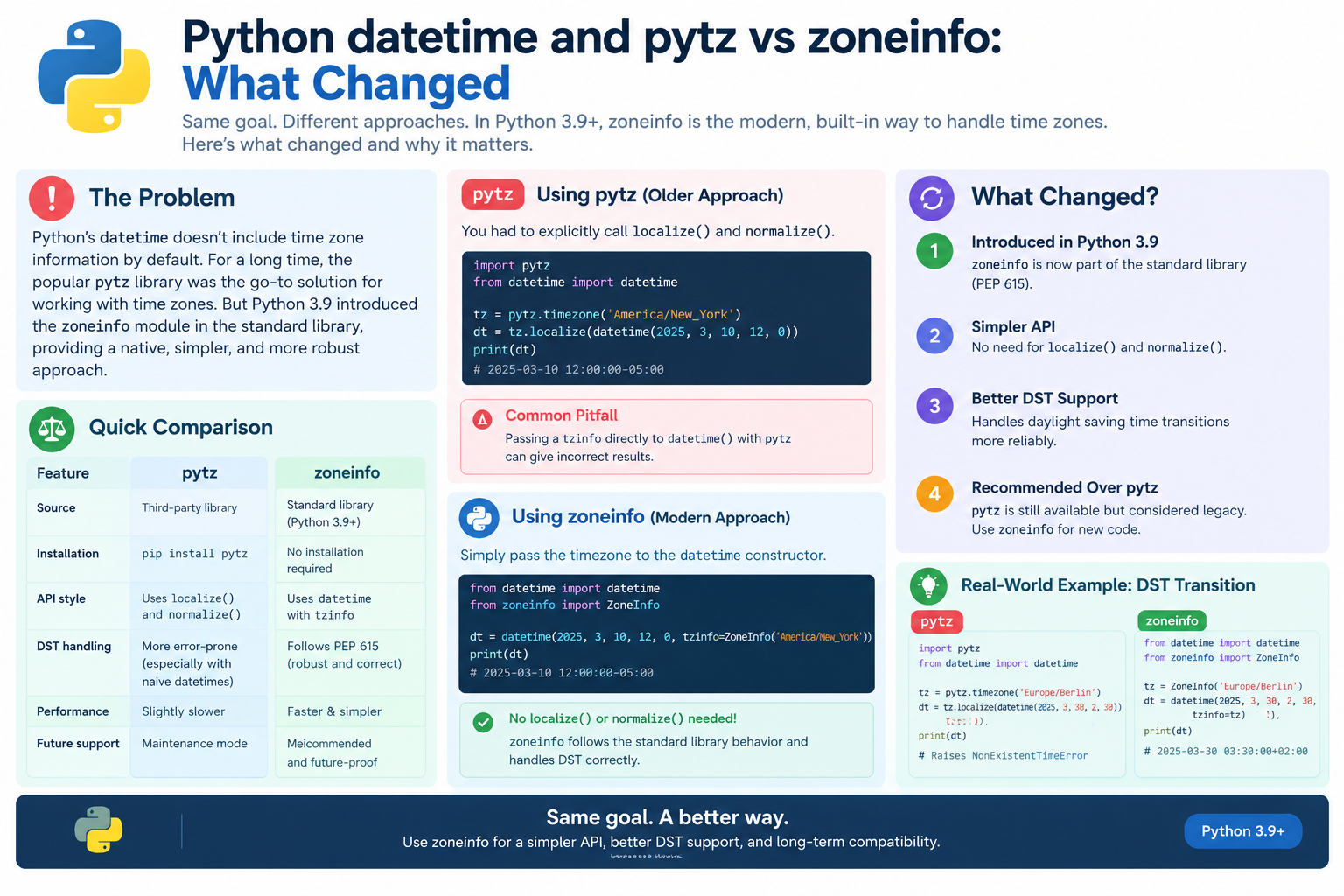
Python datetime and pytz vs zoneinfo: What Changed
For nearly two decades, pytz was the standard way to handle time zones in Python. It worked — but it was awkward, error-prone, and required a non-standard API that tripped up even experienced developers.
Then Python 3.9 introduced zoneinfo (PEP 615), a standard library module that finally made time zone handling intuitive. Since then, the ecosystem has shifted decisively away from pytz.
This guide explains what changed, why it matters, and how to migrate your code.
Use the free time zone converter here →
The Short Answer: What Changed?
zoneinfo replaced pytz as the recommended way to handle time zones in Python. It uses the standard tzinfo interface, handles DST more correctly, and requires no third-party installation.
| Aspect | pytz (Old) |
zoneinfo (New) |
|---|---|---|
| Introduced | 2004 | Python 3.9 (2020) |
| Interface | Non-standard localize() |
Standard tzinfo |
| Installation | pip install pytz |
Standard library |
| DST handling | is_dst flag |
fold attribute |
| Data source | Bundled copy | System or tzdata |
| Status | Maintenance mode | Recommended |
| Ecosystem | Legacy | Modern default |
Why pytz Was Problematic
The localize() Trap
The most common pytz mistake was attaching a time zone directly to a datetime — which produced wrong results.
# WRONG — gives incorrect offset
import pytz
from datetime import datetime

tz = pytz.timezone("America/New_York")
dt = datetime(2024, 7, 1, 12, 0, tzinfo=tz)
# Offset will be wrong (LMT, not EDT)
The correct way required .localize():
# CORRECT — but non-obvious
dt = tz.localize(datetime(2024, 7, 1, 12, 0))
This was a constant source of bugs. The API was not just unusual — it was actively dangerous.
Why pytz Worked This Way
pytz predates PEP 495 (the fold attribute). It had to work around Python's original tzinfo limitations, so it used a normalize-and-localize pattern that was never intuitive.
| Problem | Explanation |
|---|---|
tzinfo= was wrong |
Attached local mean time, not the correct zone |
.localize() required |
Extra step developers forgot |
.normalize() required |
Arithmetic could produce wrong offsets |
is_dst flag |
Ambiguous during DST transitions |
The Arithmetic Trap
Even with correct setup, arithmetic with pytz could break:
# pytz arithmetic could break across DST
dt = tz.localize(datetime(2024, 3, 10, 1, 30))
dt += timedelta(hours=1)
# Offset may now be wrong
dt = tz.normalize(dt)  # Required fix
Forgetting .normalize() produced incorrect results twice a year.
What zoneinfo Gets Right
Standard tzinfo Interface
zoneinfo implements the standard tzinfo interface. You pass it directly to the datetime constructor.
from zoneinfo import ZoneInfo
from datetime import datetime

dt = datetime(2024, 7, 1, 12, 0, tzinfo=ZoneInfo("America/New_York"))
# Correct offset: EDT (−04:00)
No .localize(). No .normalize(). It just works.
Key Advantages
| Advantage | Explanation |
|---|---|
| Standard interface | Works with any tzinfo consumer |
| No extra install | Part of the standard library |
| Correct DST | Handles transitions properly |
fold support |
Unambiguous ambiguous times |
| System data | Uses the OS IANA database |
| Fallback option | tzdata package for Windows |
Side-by-Side Comparison
| Task | pytz | zoneinfo |
|---|---|---|
| Create aware datetime | tz.localize(dt) |
dt.replace(tzinfo=tz) |
| Attach to constructor | Wrong result | Correct |
| Arithmetic across DST | tz.normalize(dt) |
Automatic |
| Ambiguous times | is_dst=True/False |
fold=0/1 |
| Get UTC | pytz.utc |
timezone.utc |
| List zones | pytz.all_timezones |
zoneinfo.available_timezones() |
Handling DST Transitions
The Two Problem Cases
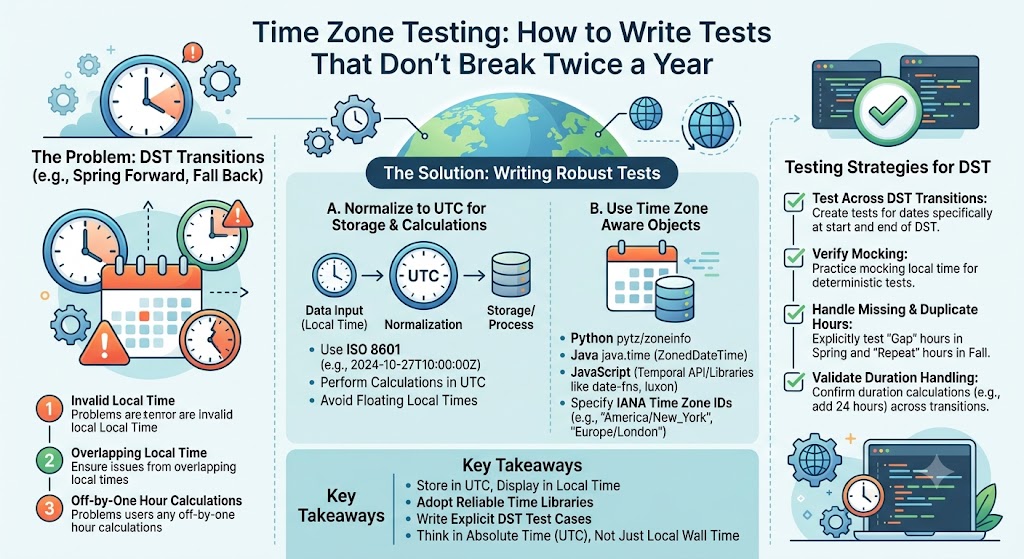
DST creates two difficult situations:
| Transition | Problem |
|---|---|
| Spring forward | A local time does not exist (e.g., 2:30 AM) |
| Fall back | A local time happens twice (e.g., 1:30 AM) |
The fold Attribute (PEP 495)
zoneinfo uses the standard fold attribute to resolve ambiguous times.
| Value | Meaning |
|---|---|
fold=0 |
First occurrence (before transition) |
fold=1 |
Second occurrence (after transition) |
# Fall back: 1:30 AM happens twice in US Eastern
first = datetime(2024, 11, 3, 1, 30, fold=0,
                 tzinfo=ZoneInfo("America/New_York"))
second = datetime(2024, 11, 3, 1, 30, fold=1,
                  tzinfo=ZoneInfo("America/New_York"))

print(first.utcoffset())   # −04:00 (EDT)
print(second.utcoffset())  # −05:00 (EST)
Missing Times (Spring Forward)
When a time does not exist, zoneinfo does not raise an error — it produces a reasonable result. Test carefully if this matters to your application.
| Situation | zoneinfo Behavior |
|---|---|
| Missing time | Returns a shifted time |
| Ambiguous time | Uses fold |
| Normal time | Correct offset |
Comparison With pytz
| Case | pytz | zoneinfo |
|---|---|---|
| Ambiguous time | is_dst=True/False |
fold=0/1 |
| Missing time | Raises or shifts | Shifts silently |
| Standard | PEP 495 workaround | PEP 495 native |
Installation and Data Sources
Standard Library (Python 3.9+)
zoneinfo is included in Python 3.9 and later. No installation required on most systems.
| Python Version | Availability |
|---|---|
| 3.9+ | Standard library |
| 3.6–3.8 | backports.zoneinfo |
| Below 3.6 | Not supported |
Where the Data Comes From
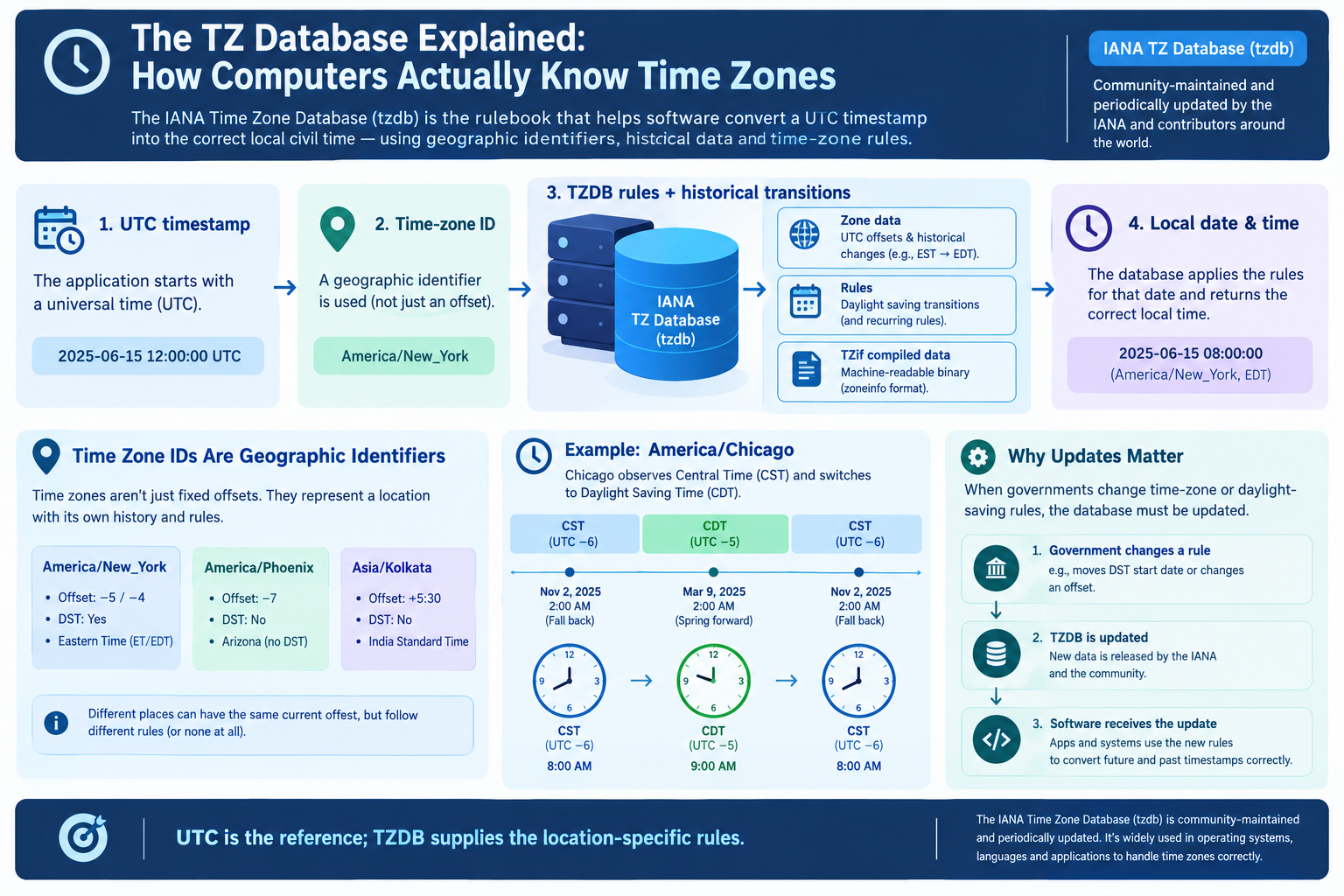
zoneinfo reads the IANA time zone database from the system. On most Linux and macOS systems, this is already present.
| Platform | Data Source |
|---|---|
| Linux | /usr/share/zoneinfo |
| macOS | /usr/share/zoneinfo |
| Windows | Not included — needs tzdata |
The tzdata Package
Windows does not ship with the IANA database. Install the tzdata package to provide it.
pip install tzdata
Once installed, zoneinfo automatically uses it as a fallback.
| Situation | Recommendation |
|---|---|
| Linux/macOS | System data is fine |
| Windows | Install tzdata |
| Containers | Install tzdata to be safe |
| Cross-platform | Always declare tzdata |
Setting the Search Path
You can override the data source with an environment variable:
export PYTHONTZPATH=/custom/path/to/zoneinfo
This is useful for testing or for shipping your own data.
Migrating From pytz to zoneinfo
Step-by-Step Migration
| Step | Action |
|---|---|
| 1 | Replace import pytz with from zoneinfo import ZoneInfo |
| 2 | Replace pytz.timezone(name) with ZoneInfo(name) |
| 3 | Remove .localize() calls |
| 4 | Pass tzinfo= directly to datetime |
| 5 | Remove .normalize() calls |
| 6 | Replace pytz.utc with timezone.utc |
| 7 | Replace is_dst with fold |
| 8 | Test DST transitions |
Code Example: Before and After
Before (pytz):
import pytz
from datetime import datetime, timedelta

tz = pytz.timezone("America/New_York")
dt = tz.localize(datetime(2024, 7, 1, 12, 0))
dt = tz.normalize(dt + timedelta(hours=1))
After (zoneinfo):
from zoneinfo import ZoneInfo
from datetime import datetime, timedelta

tz = ZoneInfo("America/New_York")
dt = datetime(2024, 7, 1, 12, 0, tzinfo=tz)
dt = dt + timedelta(hours=1)
Notice how much cleaner the zoneinfo version is.
Common Migration Pitfalls
| Pitfall | Fix |
|---|---|
Forgetting tzinfo= |
Naive datetime results |
Still calling .localize() |
ZoneInfo has no such method |
Using is_dst |
Switch to fold |
| Assuming data exists | Install tzdata on Windows |
Caching ZoneInfo objects |
Cache them — construction is slow |
Performance Tip: Cache ZoneInfo Objects
Creating a ZoneInfo object is not free. Cache it if you use it repeatedly.
from functools import lru_cache
from zoneinfo import ZoneInfo

@lru_cache(maxsize=None)
def get_zone(name):
    return ZoneInfo(name)
Ecosystem Adoption
Major Libraries Have Migrated
The Python ecosystem has largely moved to zoneinfo.
| Library | Status |
|---|---|
| Django | Uses zoneinfo since 4.0 |
| pandas | Migrating to zoneinfo |
| PyArrow | Uses zoneinfo |
| FastAPI | Uses zoneinfo via Pydantic |
| APScheduler | Uses zoneinfo |
Why This Matters
When libraries align on zoneinfo, time zone objects become interchangeable. A ZoneInfo object passed between Django, pandas, and your own code behaves consistently.
Best Practices
Storing and Handling Time
| Practice | Why |
|---|---|
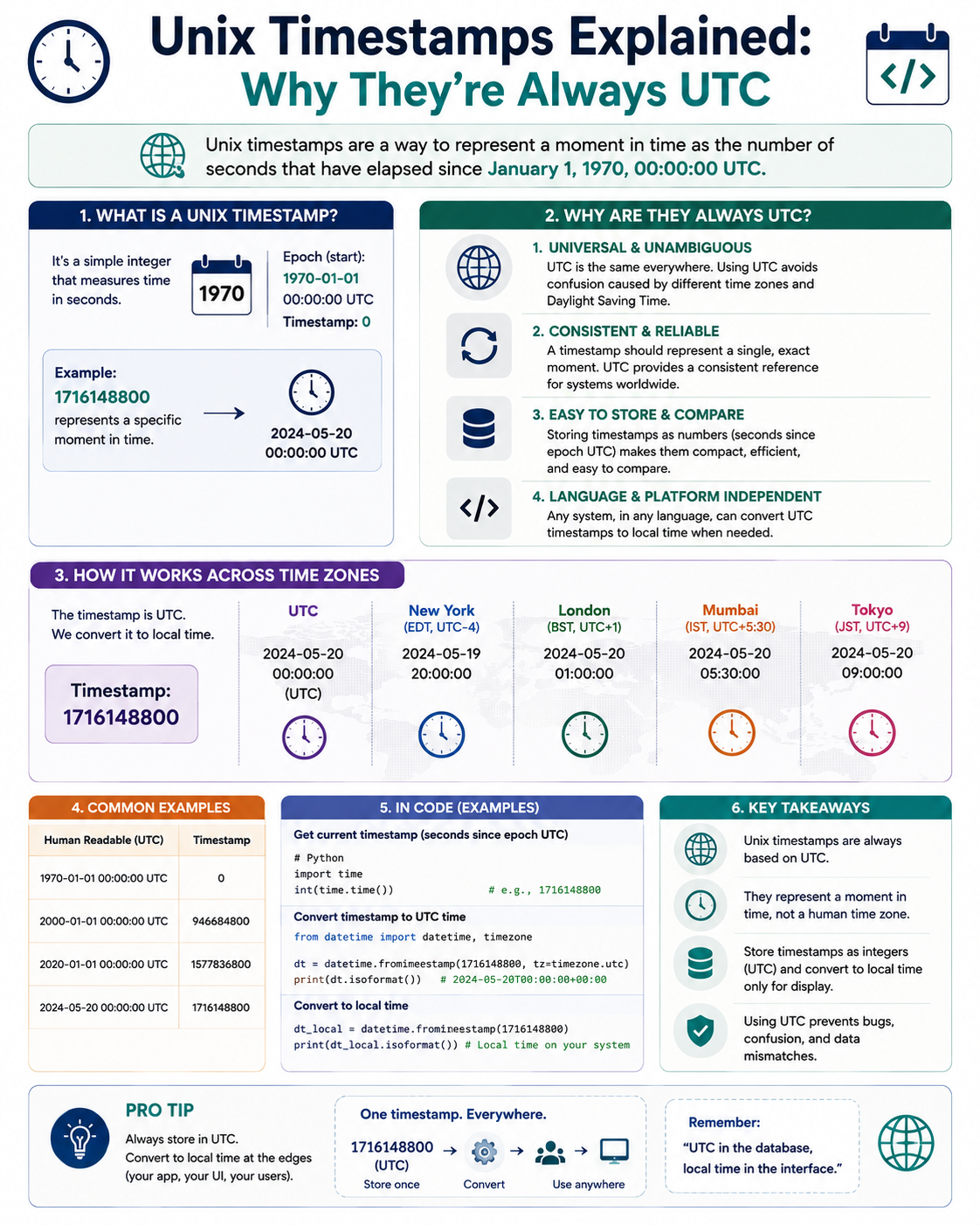
| Store UTC in databases | No ambiguity |
| Store IANA zone IDs | Handles DST |
Use timezone.utc |
Standard, not pytz.utc |
Use ZoneInfo for zones |
Standard interface |
Cache ZoneInfo objects |
Performance |
| Test DST transitions | Spring and fall |
Declare tzdata |
Cross-platform safety |
What to Avoid
| Avoid | Why |
|---|---|
pytz in new code |
Legacy, maintenance mode |
| Naive datetimes | Ambiguous |
| Storing local time | Breaks across zones |
| Using abbreviations | Ambiguous |
| Fixed offsets | Cannot handle DST |
Quick Reference Card
━━━━━━━━━━━━━━━━━━━━━━━━━━━━━━━━━━━━━━━━━━━━━━━━━━━━━━━━━━
   PYTHON TIME ZONES — pytz vs zoneinfo CHEAT SHEET
━━━━━━━━━━━━━━━━━━━━━━━━━━━━━━━━━━━━━━━━━━━━━━━━━━━━━━━━━━

WHAT CHANGED:
  pytz (2004)  → Non-standard, .localize() required
  zoneinfo (3.9) → Standard, tzinfo interface

WHY zoneinfo WINS:
  • Standard tzinfo interface
  • No extra installation
  • Correct DST handling
  • fold attribute for ambiguous times
  • Uses system IANA data

MIGRATION:
  pytz.timezone(name)   → ZoneInfo(name)
  tz.localize(dt)       → dt.replace(tzinfo=tz)
  tz.normalize(dt)      → (not needed)
  pytz.utc              → timezone.utc
  is_dst=True/False     → fold=0/1

DST TRANSITIONS:
  Fall back  → fold=0 (first) or fold=1 (second)
  Spring fwd → Missing time shifts silently

WINDOWS:
  pip install tzdata
  zoneinfo uses it as fallback

PERFORMANCE:
  Cache ZoneInfo objects — construction is slow

ECOSYSTEM:
  Django 4.0+, pandas, PyArrow all use zoneinfo

GOLDEN RULE:
  Store UTC. Use ZoneInfo. Test DST transitions.

━━━━━━━━━━━━━━━━━━━━━━━━━━━━━━━━━━━━━━━━━━━━━━━━━━━━━━━━━━
         Check live conversions at: /timezone-converter
━━━━━━━━━━━━━━━━━━━━━━━━━━━━━━━━━━━━━━━━━━━━━━━━━━━━━━━━━━
Frequently Asked Questions
What changed between pytz and zoneinfo?
zoneinfo replaced pytz as the recommended time zone library in Python. It uses the standard tzinfo interface, requires no third-party installation, and handles DST more correctly.
Why was pytz problematic?
pytz required .localize() to attach a time zone correctly. Passing tzinfo= directly produced wrong results. It also needed .normalize() after arithmetic across DST transitions.
When was zoneinfo introduced?
zoneinfo was introduced in Python 3.9 via PEP 615. A backport called backports.zoneinfo supports Python 3.6–3.8.
Do I need to install zoneinfo?
No. It is part of the standard library in Python 3.9+. On Windows, you may need to install the tzdata package for time zone data.
Why does Windows need tzdata?
Windows does not ship with the IANA time zone database. The tzdata package provides it, and zoneinfo uses it automatically as a fallback.
What is the fold attribute?
fold is a PEP 495 feature that resolves ambiguous times during DST fall back. fold=0 means the first occurrence, fold=1 means the second.
How do I migrate from pytz to zoneinfo?
Replace pytz.timezone(name) with ZoneInfo(name), remove .localize() and .normalize() calls, pass tzinfo= directly to datetime, and switch is_dst to fold.
Should I still use pytz?
No. pytz is in maintenance mode. Use zoneinfo for new code and migrate existing code when possible.
Does Django use zoneinfo?
Yes. Django 4.0 and later use zoneinfo as the default time zone implementation.
Is zoneinfo slower than pytz?
Creating a ZoneInfo object can be slower, but caching objects eliminates the difference. Use functools.lru_cache for repeated lookups.
What should I use for UTC?
Use datetime.timezone.utc from the standard library. Avoid pytz.utc in new code.
Final Thoughts
The shift from pytz to zoneinfo is one of the clearest examples of Python fixing a long-standing design wart. pytz worked, but it was confusing, error-prone, and required a non-standard API. zoneinfo is the opposite: simple, standard, and correct.
If you are starting a new project, use zoneinfo. If you are maintaining an old one, migration is usually straightforward — and worth it.
Three things to remember:
- zoneinfo replaced pytz. It is the standard since Python 3.9
- No more localize(). Pass
tzinfo=directly todatetime - Install tzdata on Windows. It provides the IANA database
Check time zone conversions instantly → /timezone-converter
Tags: Python datetime pytz vs zoneinfo, zoneinfo Python 3.9, pytz localize deprecated, Python time zone handling, PEP 615 zoneinfo, fold attribute DST Python, tzdata Windows Python, migrate pytz to zoneinfo, Python timezone best practices, time zone converter