Storing Birthdays and Anniversaries Without Time Zones
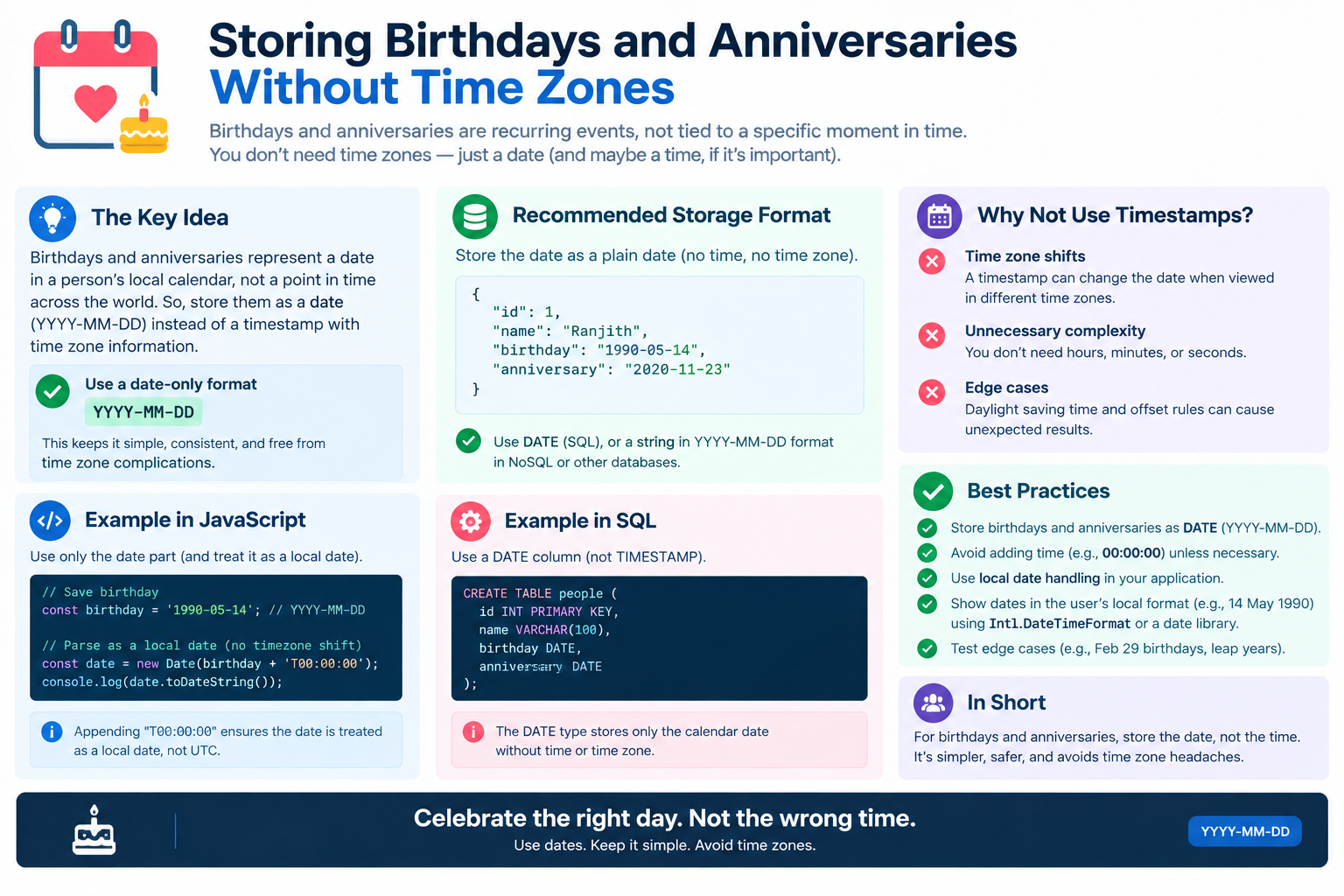
A birthday is not a moment in time. It is a date — a calendar label that repeats every year, independent of clocks, time zones, and daylight saving.
Yet developers constantly store birthdays as timestamps. The result is a familiar set of bugs: birthdays appearing a day early, leap-year birthdays breaking, and reminders firing at strange hours.
This guide explains why birthdays and anniversaries should be stored without time zones, and how to do it correctly.
Use the free time zone converter here →
The Short Answer: Store Dates, Not Timestamps
A birthday should be stored as a date-only value (YYYY-MM-DD), not as a timestamp. Time zones should never be attached.
| Aspect | Birthday | Event Timestamp |
|---|---|---|
| Nature | A calendar date | A moment in time |
| Storage | Date only | UTC timestamp |
| Time zone | None | Required |
| Repeats | Yearly | Once |
| Format | YYYY-MM-DD | ISO 8601 with offset |
| DST impact | None | Possible |
| Leap year | Special case | Irrelevant |
Why Birthdays Are Not Timestamps
The Conceptual Difference
A timestamp answers the question: when did this happen? A birthday answers: what date was this person born on?
| Question | Type of Value |
|---|---|
| When was the meeting? | Timestamp |
| When was the order placed? | Timestamp |
| What date is your birthday? | Date only |
| What date is your anniversary? | Date only |
Why Timestamps Break Birthdays
When you store a birthday as a timestamp, you must choose a time zone. That choice creates bugs.
| Problem | Explanation |
|---|---|
| Midnight UTC shift | Displays as previous day in western zones |
| Timezone conversion | Birthday moves when user travels |
| DST ambiguity | Unnecessary complexity |
| Server vs client | Different display days |
| Leap year | Wrong handling of Feb 29 |
The Classic Bug: Birthday Shows One Day Early
How It Happens
A developer stores a birthday as 1990-05-15T00:00:00Z (midnight UTC). A user in New York views it.
| Location | Local Time Shown |
|---|---|
| UTC | May 15 |
| New York (UTC−04:00) | May 14, 8:00 PM |
| Los Angeles (UTC−07:00) | May 14, 5:00 PM |
| Tokyo (UTC+09:00) | May 15, 9:00 AM |
The birthday appears one day early for anyone west of UTC.
Why It Happens
| Step | What Happened |
|---|---|
| 1 | Birthday stored as UTC midnight |
| 2 | User in western zone views it |
| 3 | Conversion subtracts hours |
| 4 | Date rolls back one day |
| 5 | Wrong birthday displayed |
The Reverse Problem
Storing at 23:59:59Z causes the birthday to appear one day late for eastern zones. There is no safe midnight to pick.
The only real fix: Store the date without a time and without a zone.
The February 29 Problem
Why Leap Day Is Special
People born on February 29 exist. Any birthday system must handle them.
| Year Type | February Days |
|---|---|
| Common year | 28 |
| Leap year | 29 |
How Systems Handle It
| Approach | Behavior |
|---|---|
| February 28 | Celebrate a day early |
| March 1 | Celebrate a day late |
| Skip the year | No celebration in common years |
| Let user choose | Best approach |
Why Timestamps Make It Worse
A timestamp for a leap-day birthday can shift to February 28 or March 1 depending on time zone and offset math. A date-only value preserves the intent.
| Storage | Leap Day Result |
|---|---|
| Timestamp | Shifts unpredictably |
| Date only | Preserved exactly |
Best Practice for Leap Day
| Practice | Recommendation |
|---|---|
| Store the date | 02-29 |
| Ask the user | When to celebrate |
| Default sensibly | February 28 in common years |
| Document behavior | Be explicit |
How to Store Birthdays Correctly
Option 1: Date-Only Column
Use a native DATE type in your database.
| Database | Type |
|---|---|
| PostgreSQL | DATE |
| MySQL | DATE |
| SQLite | TEXT (ISO 8601) |
| SQL Server | DATE |
| Oracle | DATE (includes time) |
CREATE TABLE users (
  id SERIAL PRIMARY KEY,
  name TEXT,
  birthday DATE
);
Option 2: Separate Month and Day
If you never need the birth year, store month and day separately.
| Column | Type | Example |
|---|---|---|
| birth_month | INTEGER | 5 |
| birth_day | INTEGER | 15 |
Benefit: Avoids privacy issues from storing birth year.
Option 3: ISO 8601 String
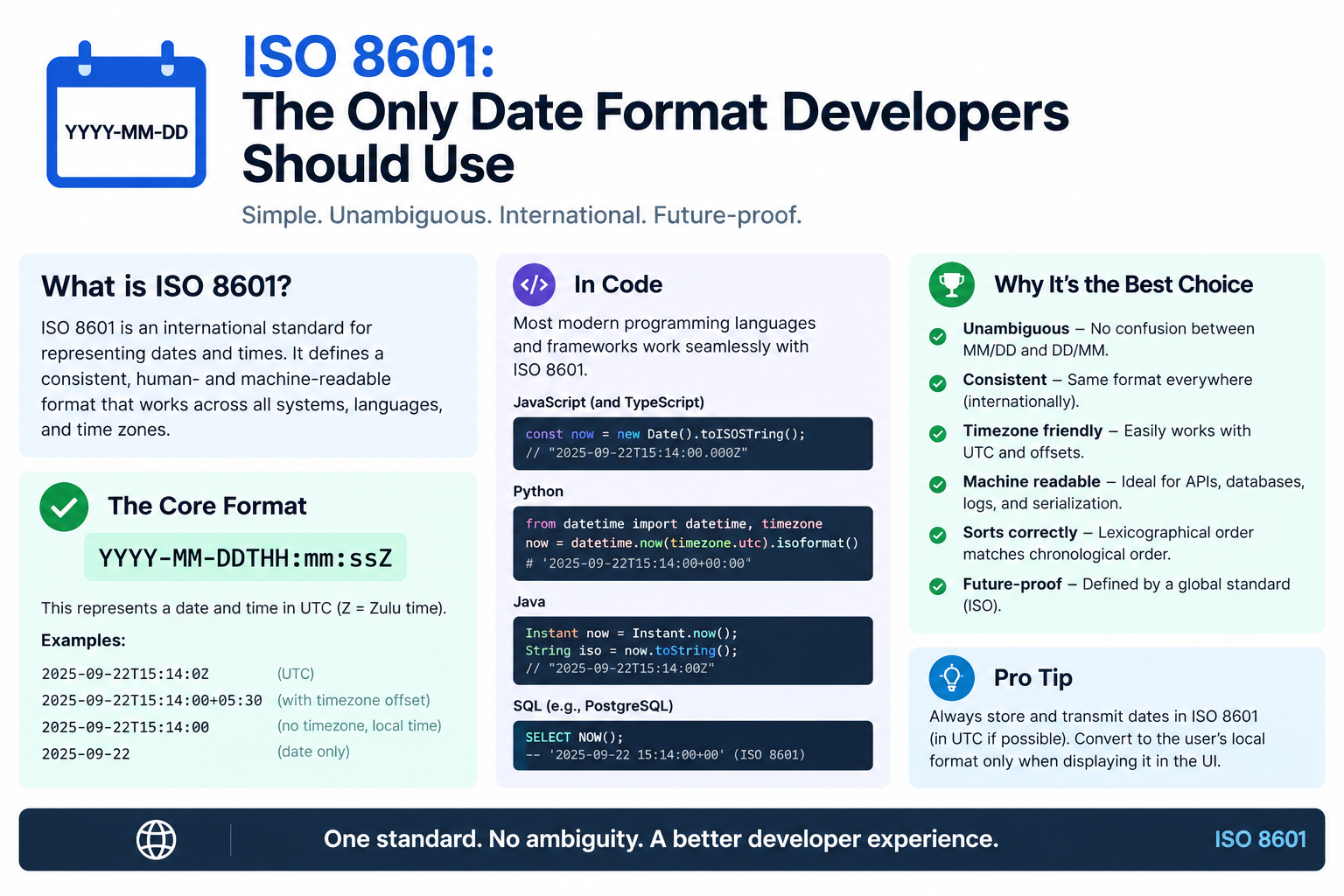
Store as a text string in YYYY-MM-DD format.
| Value | Meaning |
|---|---|
1990-05-15 |
Date only |
0000-05-15 |
Unknown year |
--05-15 |
Month and day only |
What to Avoid
| Avoid | Why |
|---|---|
| TIMESTAMP | Adds time and zone |
| DATETIME with midnight | Invites the early-day bug |
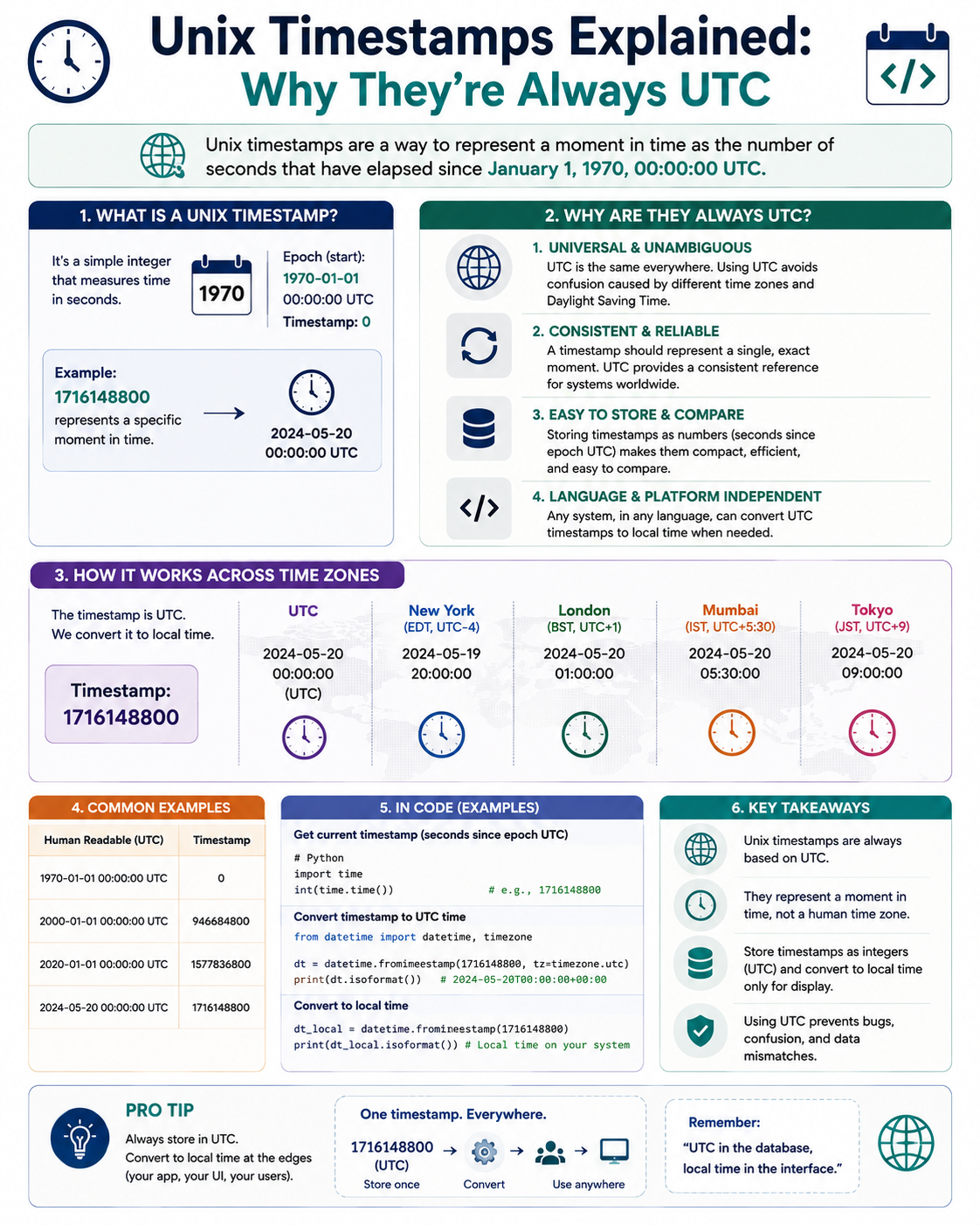
| Unix timestamp | Requires arbitrary zone |
| Storing as UTC | Conceptual mismatch |
How to Store Anniversaries
They Are the Same Problem
Anniversaries, like birthdays, are calendar dates. Store them the same way.
| Event | Type |
|---|---|
| Wedding anniversary | Date only |
| Work anniversary | Date only |
| Membership start | Could be timestamp |
| Subscription renewal | Depends on business logic |
The Work Anniversary Distinction
A work anniversary has two aspects:
| Aspect | Storage |
|---|---|
| Hire date | Date only |
| Exact start moment | Optional timestamp |
Store the hire date as a date. If you need the exact moment, store it separately as a timestamp.
Displaying Birthdays and Anniversaries
The Rule
Never convert a birthday to another time zone. Display it exactly as stored.
| Action | Correct? |
|---|---|
| Convert to user's zone | No |
| Display as stored | Yes |
| Format per locale | Yes |
| Translate month names | Yes |
Formatting for Humans
| Locale | Format |
|---|---|
| ISO 8601 | 1990-05-15 |
| US | May 15, 1990 |
| UK | 15 May 1990 |
| Japan | 1990年5月15日 |
The date never changes — only the presentation.
Age Calculation
| Rule | Example |
|---|---|
| Compare year, month, day | Born 1990-05-15 |
| Today is 2026-09-22 | Age = 36 |
| Never use timestamps | Avoids off-by-one |
Reminders and Notifications
The Scheduling Problem
Even with correct storage, reminders can still misfire if you schedule them in the wrong time zone.
| Question | Answer |
|---|---|
| When should the reminder fire? | User's local morning |
| In what zone? | User's current zone |
| What if they travel? | Use their current zone |
The Reminder Flow
| Step | Action |
|---|---|
| 1 | Read birthday (date only) |
| 2 | Determine user's current time zone |
| 3 | Schedule for 09:00 local on that date |
| 4 | Handle leap day per policy |
| 5 | Send notification |
Why This Works
The birthday itself has no zone. The reminder has a zone — the user's current one. The two concepts stay separate.
Reminder Mistakes
| Mistake | Why It Hurts |
|---|---|
| Sending at UTC midnight | Wakes users up |
| Converting birthday to UTC | Shifts the date |
| Ignoring user's zone | Wrong send time |
| Forgetting leap day | No reminder some years |
API Design for Birthdays
Input
Accept date-only strings.
{
  "name": "Priya Sharma",
  "birthday": "1990-05-15"
}
Output
Return date-only strings. Never include a time or zone.
{
  "name": "Priya Sharma",
  "birthday": "1990-05-15",
  "age": 36
}
Validation Rules
| Rule | Example |
|---|---|
| Format YYYY-MM-DD | 1990-05-15 |
| Valid month/day | Not 1990-13-40 |
| Allow 02-29 | Leap day exists |
| Reject timestamps | 1990-05-15T00:00:00Z fails |
| No time zone | Never attach a zone |
API Design Principles
| Principle | Practice |
|---|---|
| Use date-only | No time, no zone |
| ISO 8601 format | YYYY-MM-DD |
| Reject timestamps | Enforce in validation |
| Document behavior | Leap day, unknown year |
| Separate reminders | Different concept |
Quick Reference Card
━━━━━━━━━━━━━━━━━━━━━━━━━━━━━━━━━━━━━━━━━━━━━━━━━━━━━━━━━━
   BIRTHDAYS & ANNIVERSARIES — CHEAT SHEET
━━━━━━━━━━━━━━━━━━━━━━━━━━━━━━━━━━━━━━━━━━━━━━━━━━━━━━━━━━

CORE RULE:
  A birthday is a DATE, not a timestamp
  No time. No time zone. Ever.

STORE:
  ✓ DATE column (YYYY-MM-DD)
  ✓ Separate month/day if year unknown
  ✗ TIMESTAMP
  ✗ Midnight UTC
  ✗ Unix timestamp

THE CLASSIC BUG:
  Stored 1990-05-15T00:00:00Z
  New York shows May 14
  Cause: UTC midnight shifts west
  Fix: Store date only

LEAP DAY (FEB 29):
  Ask user when to celebrate
  Default to Feb 28 in common years
  Document the choice

DISPLAY:
  Never convert to another zone
  Format per locale
  Date never changes

REMINDERS:
  Birthday  → date only
  Reminder  → user's current zone
  Send at 09:00 local, not UTC midnight

API DESIGN:
  Input:  { "birthday": "1990-05-15" }
  Output: { "birthday": "1990-05-15" }
  Reject: "1990-05-15T00:00:00Z"

GOLDEN RULE:
  Dates are not instants. Do not store them as timestamps.

━━━━━━━━━━━━━━━━━━━━━━━━━━━━━━━━━━━━━━━━━━━━━━━━━━━━━━━━━━
         Check live conversions at: /timezone-converter
━━━━━━━━━━━━━━━━━━━━━━━━━━━━━━━━━━━━━━━━━━━━━━━━━━━━━━━━━━
Frequently Asked Questions
Should birthdays be stored as timestamps?
No. A birthday is a calendar date, not a moment in time. Store it as a date-only value in YYYY-MM-DD format, with no time or time zone.
Why does my birthday show one day early?
You likely stored it as a UTC midnight timestamp. Viewers west of UTC see the previous day. Store the date without a time to fix it.
How do I store a birthday without a year?
Store only the month and day, or use a placeholder year and document that it is unknown. Some systems accept --MM-DD format.
How do I handle February 29 birthdays?
Store the date as 02-29. For celebrations and reminders in common years, ask the user whether to use February 28 or March 1, and default sensibly.
Should anniversaries be stored the same way as birthdays?
Yes. Anniversaries are calendar dates too. Store them as date-only values.
How do I calculate age from a birthday?
Compare year, month, and day directly. Do not use timestamps, which can produce off-by-one errors.
When should birthday reminders be sent?
The birthday itself has no time zone. Schedule the reminder in the user's current time zone, typically for 09:00 local time.
What format should birthday APIs use?
Use ISO 8601 date-only format: YYYY-MM-DD. Reject timestamps and any value containing a time or zone.
Can I store a birthday in a datetime column?
You can, but you should not. It invites time zone bugs and off-by-one errors. Use a date-only column instead.
What is the difference between a date and a timestamp?
A date is a calendar label (2026-09-22). A timestamp is a precise instant (2026-09-22T14:30:00Z). Birthdays are dates; events are timestamps.
Final Thoughts
Birthdays and anniversaries are some of the simplest data in any system — and some of the most commonly mishandled. The mistake is almost always the same: treating a date as a moment in time.
Once you separate the two concepts, the bugs disappear. Store dates as dates. Store instants as timestamps. Never mix them.
Three things to remember:
- A birthday is a date, not an instant. Store it as YYYY-MM-DD
- Never convert a birthday to a time zone. Display it as stored
- Handle February 29 explicitly. Ask the user, default sensibly
Check time zone conversions instantly → /timezone-converter
Tags: storing birthdays without time zones, anniversary date storage, date-only values database, birthday timestamp bug, February 29 birthday storage, ISO 8601 date only, recurring dates database, date vs datetime, birthday API design, time zone converter