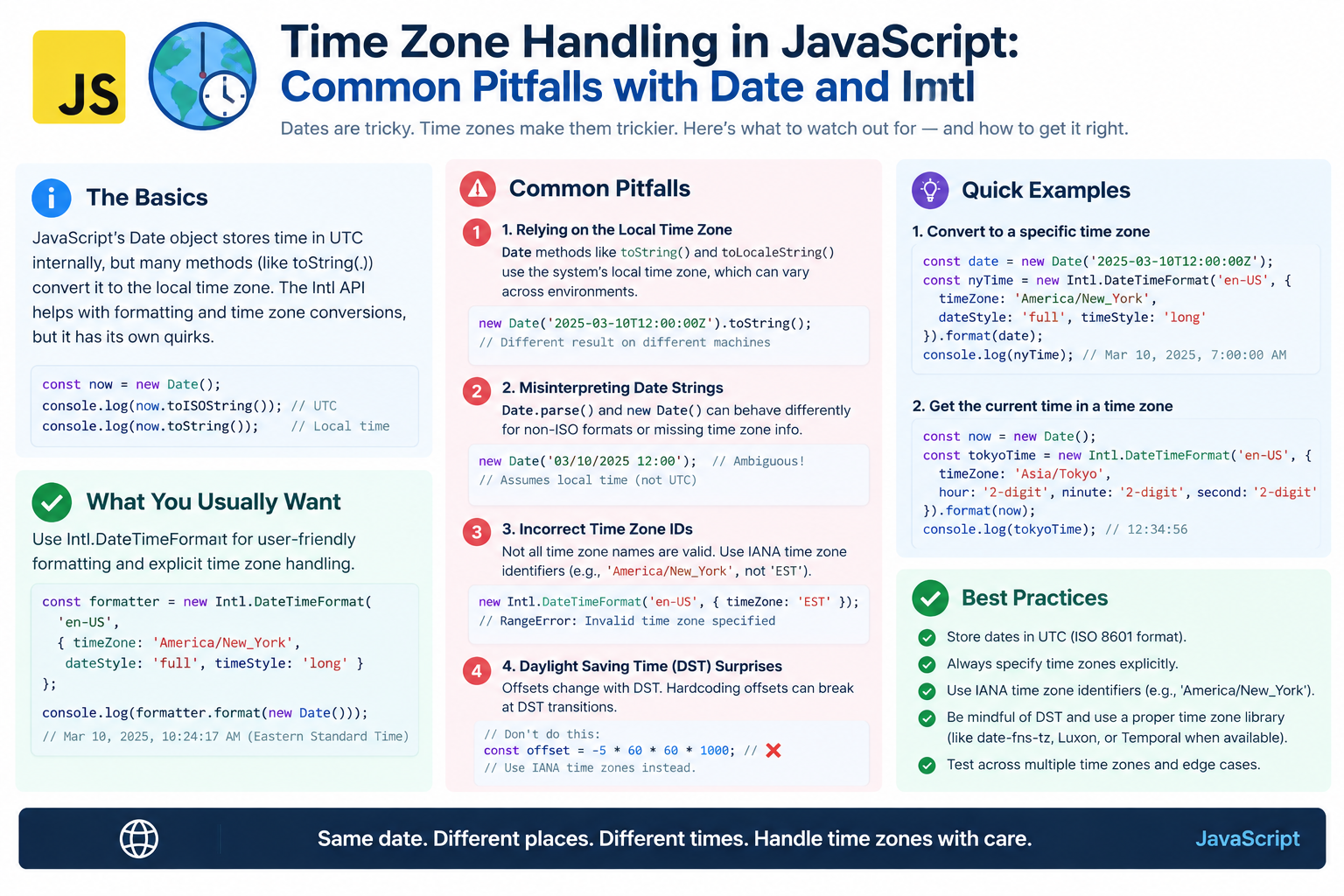
Time Zone Handling in JavaScript: Common Pitfalls with Date and Intl
JavaScript's Date object is one of the most misunderstood APIs in programming. It looks simple, but it hides a trap: a Date has no time zone. It is only a moment in time — a Unix timestamp — and everything else is display.
Developers get burned by this constantly. Meetings shift by an hour. Deadlines land on the wrong day. DST bugs appear twice a year.
This guide explains the most common JavaScript time zone pitfalls and how to avoid them using Date, Intl, and the new Temporal API.
Use the free time zone converter here →
The Short Answer: Why JavaScript Time Zones Are Tricky
A JavaScript Date is always an instant in UTC internally. It has no time zone. Methods like getHours() return values in the local time zone of the runtime environment, which changes depending on where the code runs.
| Aspect | Reality |
|---|---|
| Internal storage | Milliseconds since Unix epoch (UTC) |
| No time zone | Date has no zone attached |
| Local methods | Use system time zone |
| UTC methods | Use UTC explicitly |
| Parsing | Inconsistent and risky |
| DST | Silently shifts results |
| Best tool | Intl.DateTimeFormat |
| Future tool | Temporal API |
Pitfall 1: Assuming Date Has a Time Zone
The Mistake
Many developers think a Date object stores a time zone. It does not.
const d = new Date("2026-09-22T14:30:00Z");
console.log(d.toString());
// Depends on the machine's time zone!
The same Date prints differently on a server in UTC, a laptop in New York, and a phone in Tokyo.
Why It Happens
| Concept | What It Is |
|---|---|
| The instant | A single moment in time |
| The display | Formatted using local zone |
| The Date object | Only stores the instant |
The Fix
Treat Date as an instant, not a local time. Use explicit UTC methods when you need UTC values.
| Method | Returns |
|---|---|
getHours() |
Local hour |
getUTCHours() |
UTC hour |
getDate() |
Local day |
getUTCDate() |
UTC day |
Pitfall 2: Parsing Date Strings Inconsistently
The Mistake
new Date("2026-09-22") and new Date("2026-09-22T00:00:00") behave differently.
new Date("2026-09-22");        // Parsed as UTC
new Date("2026-09-22T00:00:00"); // Parsed as LOCAL time
This one-character difference changes the result by hours.
Why It Happens
The ECMAScript spec treats date-only strings as UTC and date-time strings without an offset as local time. This is a legacy quirk that trips up everyone.
| Input | Interpreted As |
|---|---|
"2026-09-22" |
UTC midnight |
"2026-09-22T00:00:00" |
Local midnight |
"2026-09-22T00:00:00Z" |
UTC midnight |
"2026-09-22T00:00:00+05:30" |
Offset-aware |
The Fix
Always include an explicit offset when parsing strings.
new Date("2026-09-22T14:30:00Z");       // Safe
new Date("2026-09-22T14:30:00+05:30");  // Safe
new Date("2026-09-22T14:30:00");        // Risky
new Date("2026-09-22");                 // Risky
Rule: If it does not end with Z or ±HH:MM, do not trust it.
Pitfall 3: Using getHours() on a Server
The Mistake
Server code often runs in UTC, but developers write code assuming local time.
const d = new Date();
console.log(d.getHours());
// 9 on your laptop, 14 on the server
The same code produces different results depending on where it runs.
Why It Hurts
| Environment | Time Zone |
|---|---|
| Developer laptop | Local (e.g., IST) |
| Production server | Often UTC |
| Container | Usually UTC |
| Serverless | Usually UTC |
| Browser | User's local zone |
The Fix
Use UTC methods in server code, or explicitly convert with Intl.
d.getUTCHours();  // Always UTC
d.getUTCDate();   // Always UTC
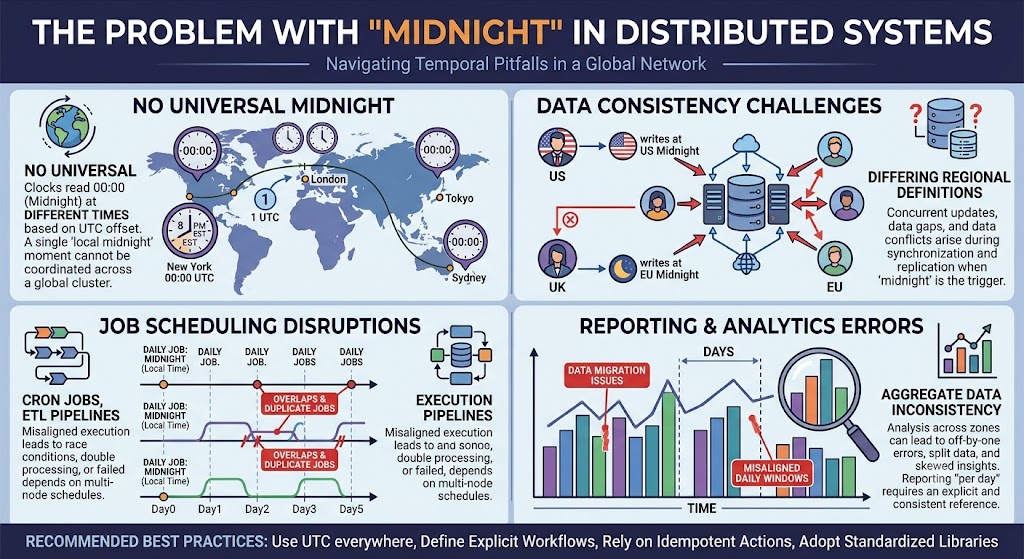
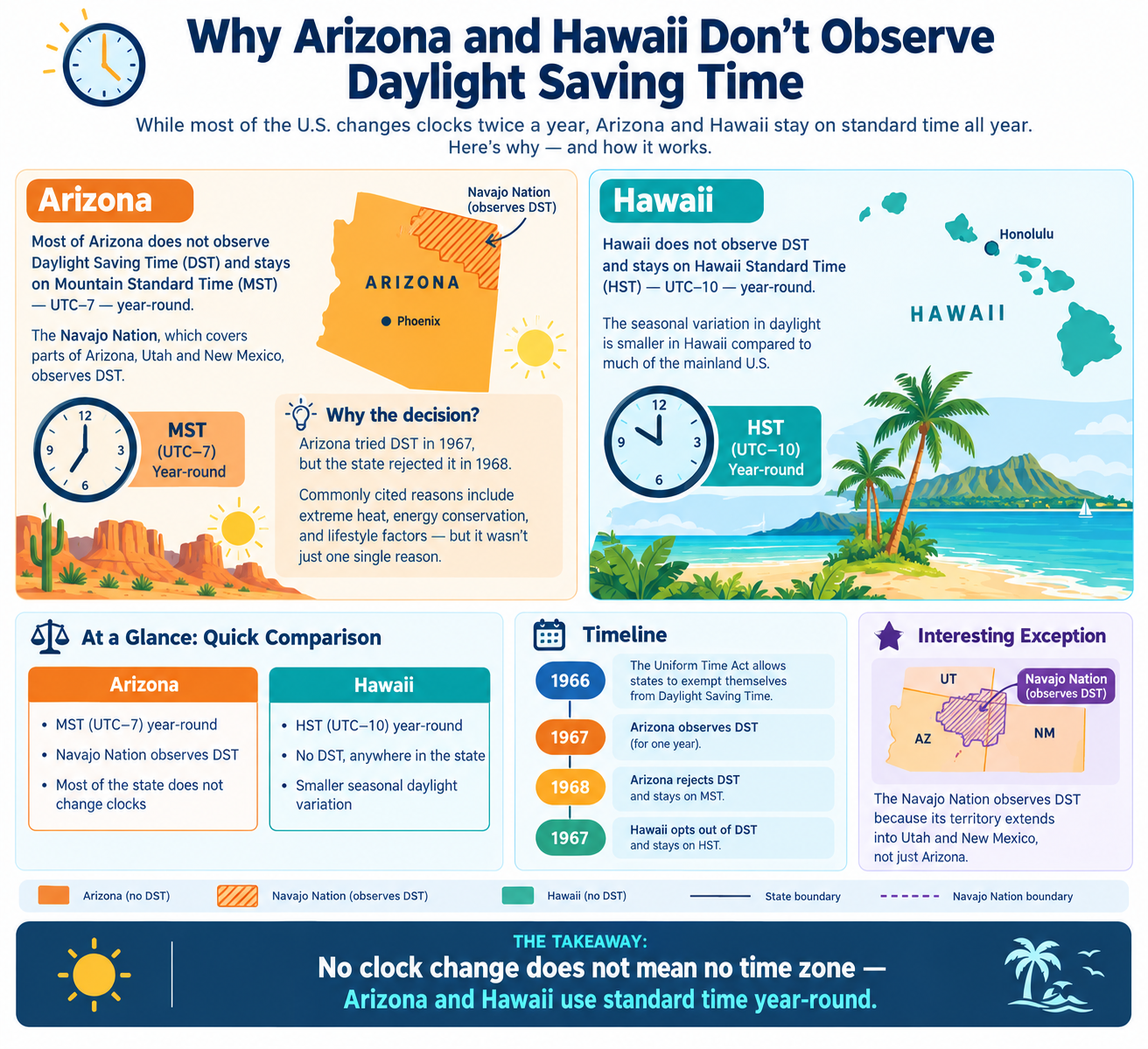
Pitfall 4: Daylight Saving Time Bugs
The Mistake
DST causes local times to skip or repeat. JavaScript handles this inconsistently across zones.
new Date("2026-03-08T02:30:00");
// In US Eastern, 2:30 AM does not exist on this date
What Happens
| DST Event | Effect |
|---|---|
| Spring forward | A local hour disappears |
| Fall back | A local hour repeats |
| Invalid times | JS silently shifts them |
| Ambiguous times | JS picks one |
The Fix
Store times in UTC. Convert to local only at display.
| Do This | Not This |
|---|---|
| Store UTC | Store local time |
| Use IANA zone IDs | Use offsets alone |
| Use a time zone library | Manual DST math |
Pitfall 5: Confusing Offsets and Time Zones
The Mistake
An offset is not a time zone. A time zone has rules; an offset is just a snapshot.
// This looks fine but breaks with DST
const offset = "-05:00";
Why It Matters
| Concept | Example | Behavior |
|---|---|---|
| Offset | −05:00 | Fixed number |
| Time zone | America/New_York | Changes with DST |
| Abbreviation | EST | Ambiguous |
A time zone like America/New_York is −05:00 in winter and −04:00 in summer. A fixed offset cannot capture this.
The Fix
Always store the IANA time zone ID, not just the offset.
// Good
{ time: "2026-09-22T14:30:00Z", zone: "America/New_York" }

// Bad
{ time: "2026-09-22T09:30:00-05:00" } // Which season?
Using Intl.DateTimeFormat Correctly
What Intl Does
The Intl.DateTimeFormat API formats a Date in any time zone, using the IANA database.
const d = new Date("2026-09-22T14:30:00Z");

new Intl.DateTimeFormat("en-US", {
  timeZone: "Asia/Kolkata",
  dateStyle: "full",
  timeStyle: "long"
}).format(d);
Formatting Options
| Option | Purpose |
|---|---|
timeZone |
IANA zone ID |
dateStyle |
full, long, medium, short |
timeStyle |
full, long, medium, short |
hour12 |
12- or 24-hour clock |
locale |
Language and region |
Getting Parts, Not Just Strings
Use formatToParts() when you need individual components.
const parts = new Intl.DateTimeFormat("en-US", {
  timeZone: "Asia/Kolkata",
  hour: "numeric",
  minute: "numeric"
}).formatToParts(d);
This returns an array of parts, which is safer than parsing a formatted string.
Common Intl Mistakes
| Mistake | Why It Hurts |
|---|---|
Omitting timeZone |
Uses runtime zone |
| Parsing formatted output | Locale-dependent |
| Assuming English | Uses system locale |
| Forgetting DST | Zone rules handle it |
The Temporal API: The Future
What It Is
Temporal is a new JavaScript API designed to fix Date's problems. It is currently a Stage 3 proposal and available via polyfill.
| Feature | Benefit |
|---|---|
| ZonedDateTime | Explicit time zone |
| Instant | Pure UTC moment |
| PlainDate | Date without time |
| PlainTime | Time without date |
| Duration | First-class durations |
| DST-safe | Handles transitions correctly |
Example
const zdt = Temporal.ZonedDateTime.from({
  timeZone: "Asia/Kolkata",
  year: 2026,
  month: 9,
  day: 22,
  hour: 14,
  minute: 30
});

zdt.withTimeZone("America/New_York").toString();
Why Temporal Matters
| Old World | New World |
|---|---|
Date has no zone |
ZonedDateTime has a zone |
| Offsets are manual | Offsets are derived |
| DST is fragile | DST is handled |
| Parsing is inconsistent | Parsing is strict |
Third-Party Libraries
When to Use Them
Native JavaScript still lacks some conveniences. Libraries fill the gap.
| Library | Strength |
|---|---|
| Luxon | Modern, uses Intl |
| date-fns-tz | Lightweight, functional |
| Day.js | Small, Moment-like |
| Moment Timezone | Legacy, heavy |
Library Comparison
| Feature | Luxon | date-fns-tz | Day.js |
|---|---|---|---|
| Size | Medium | Small | Small |
| IANA zones | Yes | Yes | Plugin |
| Immutable | Yes | Yes | Yes |
| Intl-based | Yes | Partly | No |
Recommendation
| Situation | Choice |
|---|---|
| New project | Luxon or Temporal |
| Bundle size matters | date-fns-tz |
| Simple formatting | Native Intl |
| Legacy code | Moment Timezone (maintain only) |
Best Practices Summary
| Practice | Why |
|---|---|
| Store UTC | No ambiguity |
| Store IANA zone ID | Handles DST |
| Parse only ISO 8601 with offset | Consistent |
Use Intl.DateTimeFormat |
Correct, DST-aware |
Use formatToParts() |
Avoid string parsing |
Avoid getHours() on servers |
Use UTC methods |
| Never store abbreviations | Ambiguous |
| Plan for Temporal | Future-proof |
| Use a library if needed | Fewer bugs |
Quick Reference Card
━━━━━━━━━━━━━━━━━━━━━━━━━━━━━━━━━━━━━━━━━━━━━━━━━━━━━━━━━━
   JAVASCRIPT TIME ZONES — CHEAT SHEET
━━━━━━━━━━━━━━━━━━━━━━━━━━━━━━━━━━━━━━━━━━━━━━━━━━━━━━━━━━

CORE TRUTH:
  A Date is an instant in UTC
  It has NO time zone
  Local methods use the runtime zone

PITFALLS:
  1. Assuming Date has a zone
  2. Inconsistent string parsing
  3. getHours() on servers
  4. DST bugs
  5. Confusing offsets with zones

PARSING RULES:
  "2026-09-22"          → UTC midnight (quirky)
  "2026-09-22T00:00:00" → LOCAL midnight (risky)
  "2026-09-22T00:00:00Z" → UTC (safe)
  "2026-09-22T00:00:00+05:30" → offset (safe)

SAFE METHODS:
  getUTCHours()  getUTCDate()  getUTCMonth()

BEST TOOL:
  new Intl.DateTimeFormat("en-US", {
    timeZone: "Asia/Kolkata",
    dateStyle: "full",
    timeStyle: "long"
  }).format(date)

FUTURE:
  Temporal.ZonedDateTime — explicit time zones

GOLDEN RULE:
  Store UTC. Store IANA zone. Format with Intl.

━━━━━━━━━━━━━━━━━━━━━━━━━━━━━━━━━━━━━━━━━━━━━━━━━━━━━━━━━━
         Check live conversions at: /timezone-converter
━━━━━━━━━━━━━━━━━━━━━━━━━━━━━━━━━━━━━━━━━━━━━━━━━━━━━━━━━━
Frequently Asked Questions
Does a JavaScript Date have a time zone?
No. A Date is an instant in time, stored as milliseconds since the Unix epoch. It has no time zone. Local methods use the runtime environment's zone.
Why does new Date("2026-09-22") behave differently from new Date("2026-09-22T00:00:00")?
The ECMAScript spec treats date-only strings as UTC and date-time strings without an offset as local time. This is a legacy quirk.
How do I format a date in a specific time zone?
Use Intl.DateTimeFormat with the timeZone option set to an IANA ID like Asia/Kolkata.
What is the difference between an offset and a time zone?
An offset is a fixed number like −05:00. A time zone is a rule set like America/New_York that changes with DST.
Why does my server show a different hour than my laptop?
Servers usually run in UTC, while your laptop uses your local zone. getHours() reflects the runtime zone.
How do I avoid DST bugs in JavaScript?
Store times in UTC, store the IANA zone ID separately, and convert to local time only at display using Intl.
What is the Temporal API?
Temporal is a new JavaScript API that fixes Date's problems. It provides ZonedDateTime, Instant, PlainDate, and DST-safe handling.
Should I use Moment.js?
No. Moment.js is in maintenance mode. Use Luxon, date-fns-tz, or the Temporal polyfill instead.
How do I get the user's time zone?
Use Intl.DateTimeFormat().resolvedOptions().timeZone to get the user's IANA zone ID.
What is the safest way to parse a date string?
Only parse ISO 8601 strings that include an explicit offset or Z. Avoid date-only strings and strings without offsets.
Final Thoughts
JavaScript's Date is not broken — it is just misunderstood. Once you accept that a Date is an instant with no time zone, most of the confusion disappears. Store UTC. Store the IANA zone. Format with Intl.
For new code, watch Temporal. It fixes nearly every pitfall described in this guide and will eventually become the standard.
Three things to remember:
- Date has no time zone. It is an instant in UTC
- Parse only ISO 8601 with offsets. Avoid ambiguous strings
- Use Intl.DateTimeFormat. It handles DST and zones correctly
Check time zone conversions instantly → /timezone-converter
Tags: JavaScript time zone handling, JS Date time zone pitfalls, Intl.DateTimeFormat time zone, Temporal API JavaScript, JavaScript UTC conversion, DST bugs JavaScript, date-fns-tz, Luxon time zone, JavaScript date best practices, time zone converter